
Parimad tööriistad sidusettevõtete ja liikluse arbitraaži jaoks: tuvastamisvastased brauserid, puhverserverid, virtuaalkaardid ja IP-kontrollerid

- aastal ei ole affiliate- ja liiklusearbitraaž enam lihtsalt „offer + creative”. See on terviklik tehniline stack: antidetect-brauserid, kõrgekvaliteedilised proksid, virtuaalkaardid meediaostuks, IP‑kontrollijad, trackerid ja automatiseerimistööriistad.
The stronger your stack, the fewer bans, surprises and budget leaks you deal with.
See artikkel on kompaktne edetabel ja praktiline juhend arbitraažiturundajatele. Siit saad teada, milliseid tööriistu sul päriselt vaja on, millele valikul tähelepanu pöörata ning millised SX.org ökosüsteemi lahendused võivad olla stabiilse ja skaleeritava infrastruktuuri vundamendiks.
Antidetect-brauserid: AdsPower ja Linken Sphere 2
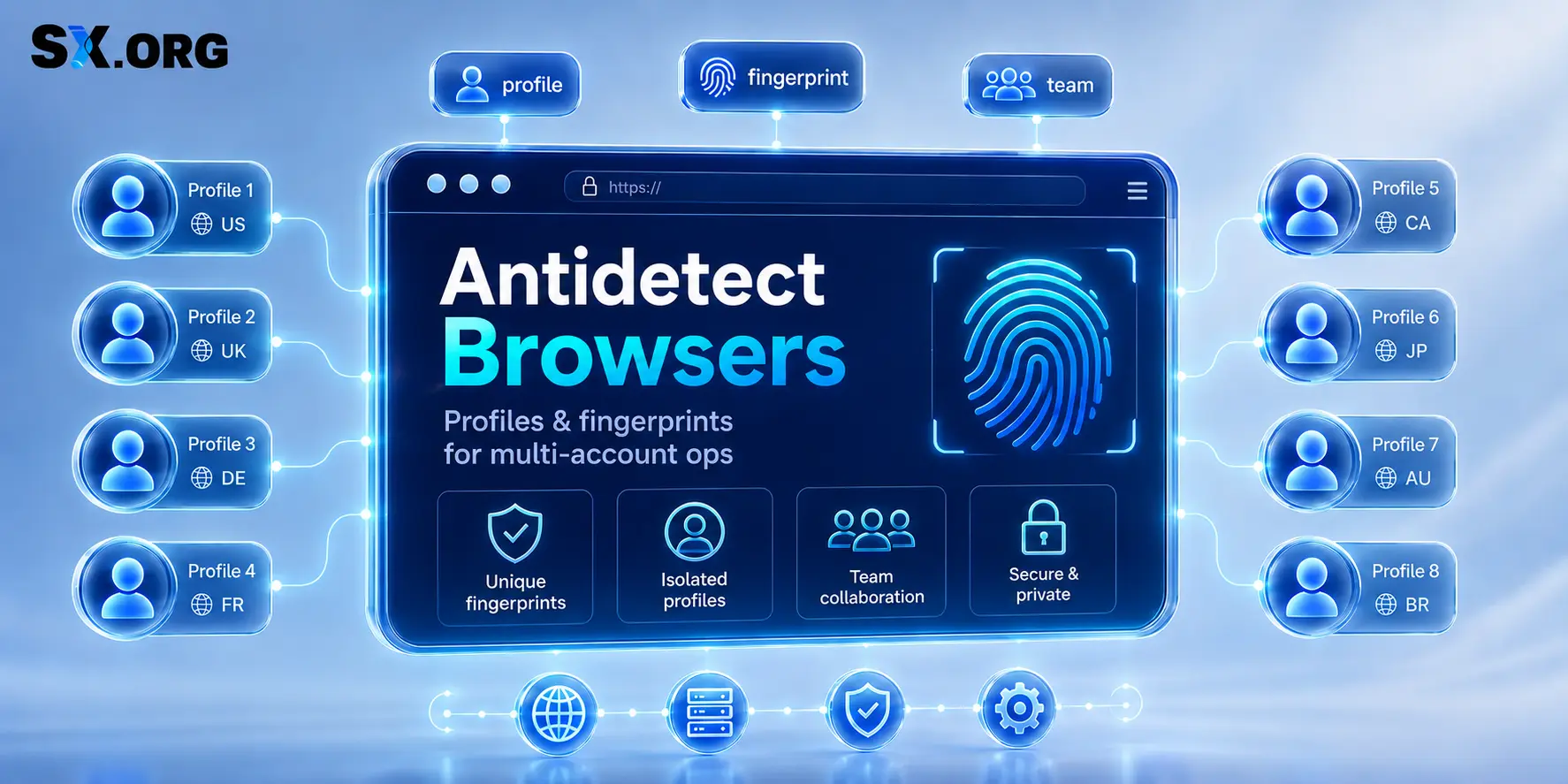
Antidetect-brauser on mitme konto halduse põhivahend. See võimaldab luua eraldi brauseriprofiile erinevate sõrmejälgedega, et kontod omavahel ei seostuks ja iga profiil näeks välja nagu eraldi seade.
AdsPower on üks suurimaid ja tuntumaid antidetect-brausereid.
Miks see arbitraažis hästi toimib:
- Võimaldab hallata kümneid või sadu profiile, igal oma sõrmejälg (canvas, WebGL, fondid, ajavöönd, keeled).
- Toetab nii Chromiumi‑ kui ka Firefoxi‑baasil mootoreid ning pakub peeneid sõrmejälje seadeid eri vertikaalide jaoks.
- Sisaldab sisseehitatud automatiseerimisvõimalusi (kohalik API, stsenaariumid, RPA), et korduvaid ülesandeid osaliselt automatiseerida.
AdsPower sobib hästi nii tiimidele kui ka üksikutele meediaostjatele, kes hindavad selget liidest, profiilide mastaapi ning mõistlikku tasakaalu võimekuse ja keerukuse vahel.
Linken Sphere 2 on antidetect-brauser tiimidele, kellel on vaja hallata eraldatud brauserisessioone, ühiseid tööruume ja proksikonfiguratsioone mitme projekti lõikes.
Mis teeb selle huvitavaks:
- Meeskonnatöö: jagatud töölauad, rollipõhised õigused ja kontrollitud juurdepääs sessioonidele, proksidele ja seadistustele.
- Paindlik profiilihaldus: eraldatud brauserikeskkonnad, hulgitoimingud, eelseaded, sildid ja sessiooniseaded struktureeritud töövoogudeks.
Proksid: SX.org kui sinu IP‑vundament
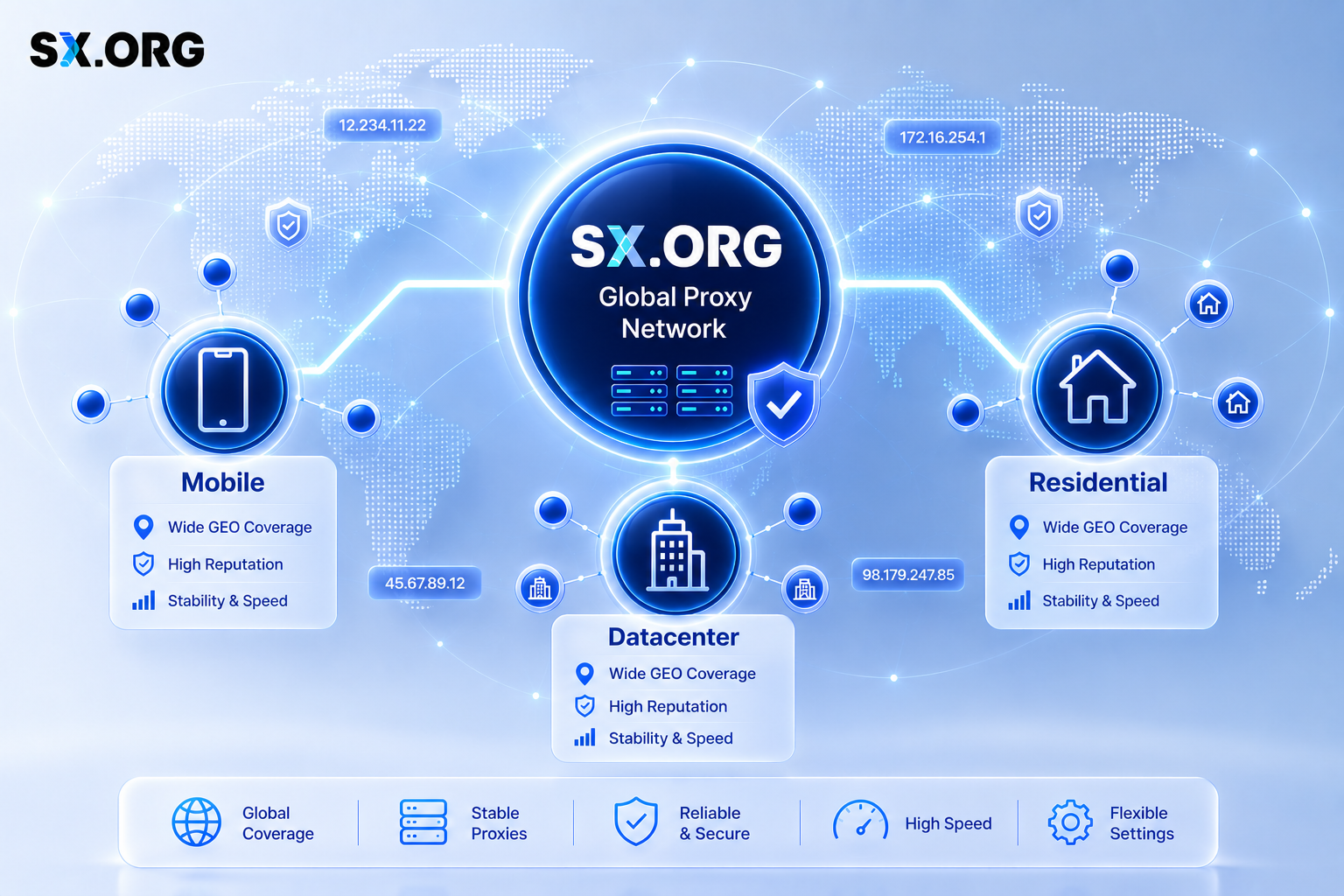
Kui antidetect-brauser hoolitseb brauseri sõrmejälje eest, siis proksid kujundavad võrgujälje. Platvormid toetuvad IP‑aadressile, et otsustada, kas sinu liiklus näeb välja nagu päris kasutaja oma või automatiseeritud farm.
Hea proksipool annab sulle:
- selge ja järjepidev GEO ning võrgutüüp;
- stabiilse latentsuse ilma pidevate katkestusteta;
- mõistliku IP‑maine;
- vähem CAPTCHA‑sid, lisakontrolle ja peidetud piiranguid.
Teisisõnu mõjutab prokside kvaliteet otseselt seda, kui kaua su kontod ellu jäävad ja kui rahulikult saad kampaaniaid skaleerida.
SX.org ei ole pelgalt proksipakkuja; see on täiemahuline proksiturg, millel on üle 12 miljoni puhta IP‑aadressi kõigi tüüpide lõikes.
Miks SX.org on affiliate‑stackis mõistlik valik:
-
Saad mobiilsed, residentaalsed ja korporatiivsed IP‑d ühest kohast – kontrollitud partneritelt ja SX.org-i enda basseinist.
-
Paindlik geosihtimine võimaldab valida riike ja linnu, et sobitada pakkumiste, sihtimise ja soovitud käitumisega, mida tahad emuleerida.
-
Kvaliteedikontroll: IP‑sid kontrollitakse GEO, võrgutüübi, maine, kättesaadavuse ja stabiilsuse osas, mis vähendab oluliselt „surnud” või toksiliste aadresside osakaalu.
-
Pay‑As‑You‑Go hinnastus: maksad ainult selle liikluse eest, mida tegelikult tarbid, ilma jäikadesse tellimustesse lukustamata – ideaalne, kui mahud kõiguvad.
Suurt algusbudžetti ei ole ka vaja: uued SX.orgi kasutajad saavad registreerumisel promokoodiga BLOG 3 GB testi‑liiklust. Sellest piisab, et proovida eri GEO‑sid, IP‑tüüpe ja rotatsiooniskeeme ilma põhikulutust ohtu seadmata.
Kui käsitled prokse juhitud IP‑vundamendina, mitte juhusliku aadressiloendina, on vahe tavaliselt selgelt näha: vähem bänne, vähem ebastabiilsust ja rohkem kontrolli selle üle, kuidas sinu infrastruktuur reklaamiplatvormidele paistab.
Virtuaalkaardid: FlexCard, e.PN ja eCards

Virtuaalkaardid on arbitraaži stacki maksekihiks. Need aitavad eelarved projekti kaupa eraldada, hoida isiklikud kaardid töövoost väljas ning vähendada riski, kui mõni BIN, pank või makseteenuse pakkuja hakkab tehinguid tagasi lükkama.
FlexCard on praktiline teenus osaks reklaamikuludest ja digitaaltellimustest tasumiseks. Seda kasutavad meediaostjad ja väikesed tiimid, kellele on vaja lihtsat tööriista korduvateks kuludeks ja eraldi kaarte eri ülesannete jaoks.
See lähenemine on kasulik, kui soovid hoida maksed eraldi rajal ja vältida operatiivsete eelarvete segunemist.
e.PN on virtuaalkaartide teenus reklaamikontodele, affiliate‑tiimidele ja korduvatele maksetele. Pakub laia pankade baasi, 3DS‑i, tuge eri GEO‑dele ning hinnamudelit, kus tasu väheneb mahu kasvades.
See sobib hästi siis, kui oluline on skaleeritavus, kaartide eraldamine projekti kaupa ja kulude haldus ühe ökosüsteemi sees.
eCardsi saab kasutada täiendava maksevahendina reklaamikulude ja tiimi töövoogude jaoks. Sobib tiimidele, kellel on vaja veel üht eraldi rada kampaaniateks, testideks ja teenustasudeks.
See teeb eelarvete jaotamise lihtsamaks ja hoiab erinevad projektid kaartide lõikes selgelt eraldatuna.
Praktilisest vaatenurgast on e.PN tugev valik tiimidele ja skaleerimiseks, FlexCard on hea igapäevane valik reklaamide jaoks ning eCards on varu‑ ja nišitööriist.
IP‑kontrollijad: i.pn, et näha seda, mida veebilehed näevad
Enne reklaamide käivitamist või tundlikele kontodele sisselogimist pead teadma mitte ainult seda, kas proksi ühendub, vaid ka seda, kuidas IP väljastpoolt paistab.
i.pn on mugav IP‑kontrollija, mis näitab:
- riiki ja linna;
- ISP‑d, organisatsiooni ja ASN‑i;
- IP‑tüüpi (mobiilne, residentaalne, korporatiivne);
- proksi/hostingu lippe ja mobiilivõrgu indikaatoreid;
- kas IP esineb levinud mustades nimekirjades.
Affiliate‑turundaja jaoks on i.pn kiire viis:
- kinnitada, et GEO vastab tellitule;
- veenduda, et mobiilne/residentaalne IP ei osutunud andmekeskuse aadressiks;
- hinnata IP põhimainet enne, kui jooksutad selle kaudu kampaaniaid või uusi kontosid.
Proksi‑kontrollijad: Checker.net kui tehniline filter
IP‑kontrollija näitab pilti veebilehe vaatenurgast. Proksi‑kontrollija hindab proksi lõpp‑punkti tehnilist tervist.
Checker.net on veebipõhine tööriist prokside tehniliseks testimiseks. See aitab:
- kontrollida, et IP päriselt töötab;
- vaadata, kas nõutud protokolle (HTTP/HTTPS/SOCKS5) toetatakse;
- mõõta reageerimisaega ja stabiilsust;
- veenduda, et võtmesaidid ja teenused on kättesaadavad;
- saada igale proksile üldine kvaliteedihinnang.
Töövoog on lihtne: enne kui lükkad suuremahulise liikluse läbi basseini või ühendad olulisi kontosid, lase oma proksid läbi Checker.neti ja i.pni, et välja sõeluda ebastabiilsed, toksilised või mittesobivad IP‑d.
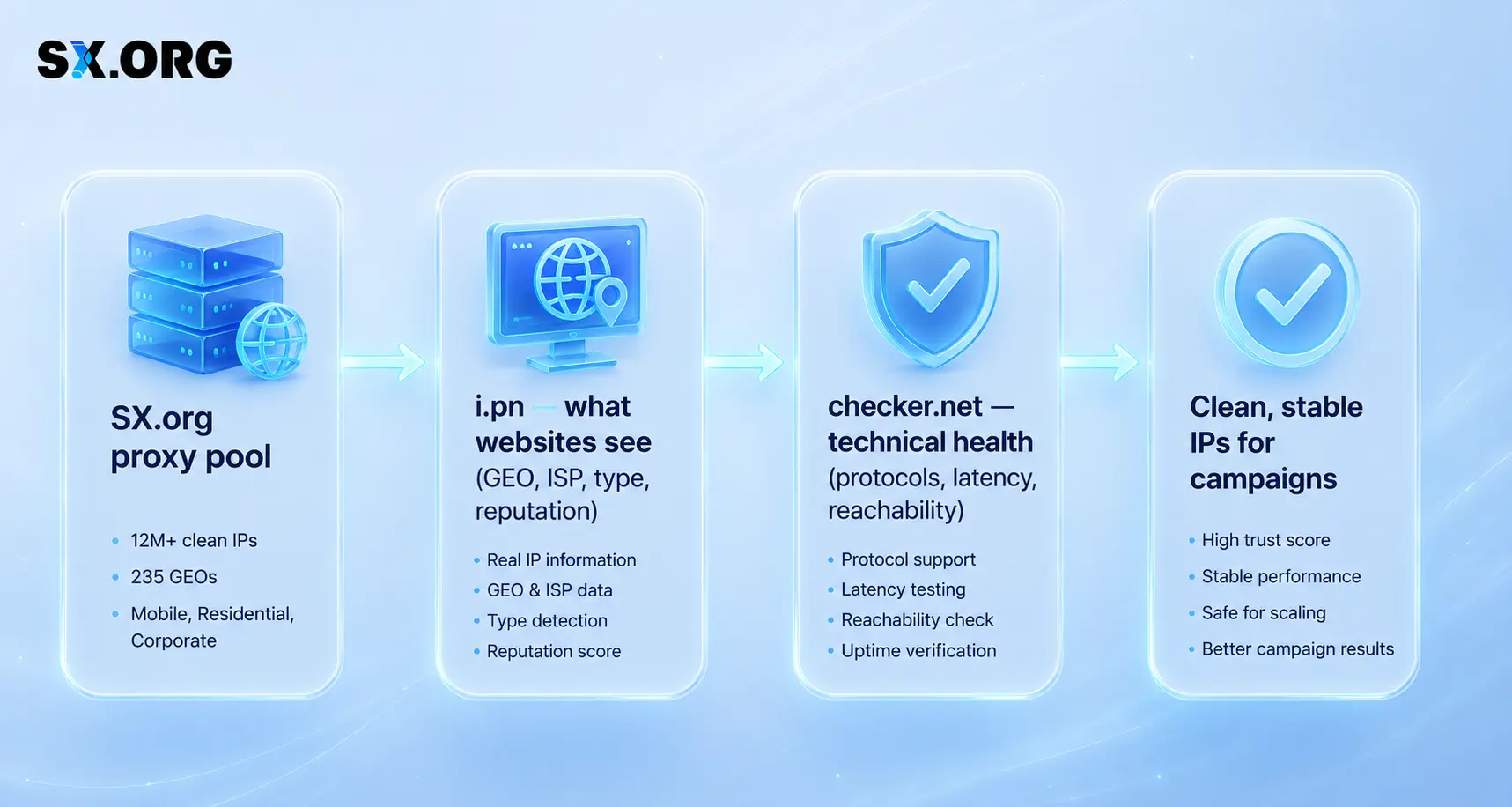
Koos annab see kolmik sulle:
- SX.org tegeliku proksibasseini jaoks;
- i.pn, et näha, kuidas IP‑d lahenevad ja väljast paistavad;
- Checker.net, et valideerida ühenduse tehniline pool.
Trackerid ja analüütika: nendeta on arbitraaž puhas oletamine
Tracker on sinu arbitraažioperatsiooni analüütiline tuum. Seda ei kasutata ilu pärast – selle abil saad teada, millised lehtrid toovad päriselt tulu ja millised lihtsalt põletavad eelarvet.
Hea tracker aitab:
- arvutada kampaaniate ja pakkumiste ROI‑d;
- jaotada liiklust allikate kaupa;
- näha lehtri nõrku kohti;
- filtreerida välja madalakvaliteedilise või petturliku liikluse.
Meediaostjad kasutavad sageli tööriistu nagu Voluum, Binom ja teised spetsiaalsed trackerid. Nimi on vähem oluline kui sobivus: see peab puhtalt sinu lehtri ja töövoogudega integreeruma.
Ad‑spy ja automatiseerimine: TYVER ja ZennoPoster
Lisaks põhistackile on meediaostjatel kasu tööriistadest, mis aitavad võitvaid ideid kiiremini leida ning rutiinseid ülesandeid skaleerida.
TYVER on ad‑spy tööriist, mis aitab turgu analüüsida ja näha, mis konkurentidel juba toimib.
See on kasulik:
- otse‑reklaamide otsimiseks riigi, formaadi ja vertikaali kaupa;
- kreatiivide, pakkumiste ja lähenemiste uurimiseks;
- testiideede kiiremaks leidmiseks;
- nõrkade hüpoteeside kõrvaldamiseks enne, kui nendele kulutad.
Praktikas säästab TYVER aega käsitsi turu‑uuringult ja annab selgema pildi sellest, milliseid lehtrid sinu nišis tegelikult surutakse.
ZennoPoster on automatiseerimistööriist, mis on loodud korduvate tegevuste skaleerimiseks.
See aitab:
- kontode registreerimisel ja soojendamisel;
- rutiinsete brauseritöövoogude automatiseerimisel;
- andmete kaapimisel pakkumiste, hindade, arvustuste jms kohta;
- ükskõik millise korduva stsenaariumi puhul, mida sa ei soovi käsitsi teha.
Lihtsustatult: TYVER aitab otsustada, mida käivitada, ZennoPoster aga teha seda kiiremini ja suuremas mahus.
Täiendavad tehnilised tööriistad
Põhistackile on mõistlik lisada veel mõned tugikihid:
- infrastruktuuri monitooring (vead, reageerimisaeg, ebastabiilsed GEO‑d);
- hoiatused liikluse ja maksete anomaaliate kohta;
- sihtlehtede ja ümbersuunamiste kontrollid reeglitele vastavuse osas;
- põhilised pettusevastased kontrollid;
- sihtlehe ehitajad, et uusi lehtreid kiiresti testida.
Need ei ole rangelt „kohustuslikud”, kuid need eristavad kaootilisi lansseerimisi süsteemsetest, korduvatest operatsioonidest.
Mini‑kontrollnimekiri: milline näeb välja 2026. aasta affiliate‑stack

Kokku pannes hõlmab kaasaegne arbitraažistack 2026. aastal tavaliselt:
-
Antidetect‑brauserid: AdsPower ja Linken Sphere 2 mitme konto halduseks, profiilikontrolliks ja tiimitöövoogudeks.
-
Proksid: SX.org kui üks allikas mobiilsete, residentaalsete ja korporatiivsete IP‑de jaoks koos GEO, võrgutüübi, maine ja stabiilsuse kontrollidega – lisaks 3 GB testi‑liiklust uutele kasutajatele promokoodiga BLOG.
-
Virtuaalkaardid: FlexCard, e.PN ja eCards reklaamikulude, tellimuste ja tööriistade haldamiseks – eraldi kaart projekti kohta ja selged limiidid.
-
IP‑kontrollija: i.pn, et näha, kuidas sinu IP veebilehtedele ja teenustele paistab.
-
Proksi‑kontrollija: checker.net tehnilise filtrina protokollitoe, latentsuse ja kättesaadavuse jaoks.
-
Tracker: spetsiaalne jälgimisplatvorm nagu Voluum või Binom lehtrite, eelarvete ja liikluse kvaliteedi haldamiseks.
-
Ad‑spy tööriist: TYVER turuluureks, võitvate kreatiivide ja lehtrite avastamiseks.
-
Automatiseerimine: ZennoPoster rutiinsete ülesannete, registreerimiste, soojendamise, kaapimise ja korduvate töövoogude skaleerimiseks.
-
Monitooring ja pettusevastased vahendid: põhiline kiht hoiatuste ja kontrollidega, et probleemidest teada saada enne, kui need muutuvad bännideks.
See nimekiri ei pretendeeri ainsale „õigele” stackile, kuid annab selge struktuuri: millised tööriistad on olulised, kuidas need omavahel sobituvad ning millised SX.org-i partnerid on mõistlik kaasata, kui soovid ehitada stabiilset ja skaleeritavat arbitraažisätet, mitte teha vaid ühekordseid teste.