Suosituimpien yhteistyökumppanien luovien kuvakulmien metsästys: Vaiheittainen vakoilutyökaluopas, jossa mukana TYVER
High-converting ad creatives don't just appear out of thin air. Behind every winning campaign lies a deep competitor analysis and a relentless search for successful ad angles. Spy tools allow you to gather this data in a matter of minutes. Let's break down how spy tools work and how to leverage them effectively using Tyver as our primary example.
What is an Ad Spy Tool and How Does It Work?
An ad spy tool is software that aggregates live advertisements from various traffic sources and displays them in a single, searchable feed.
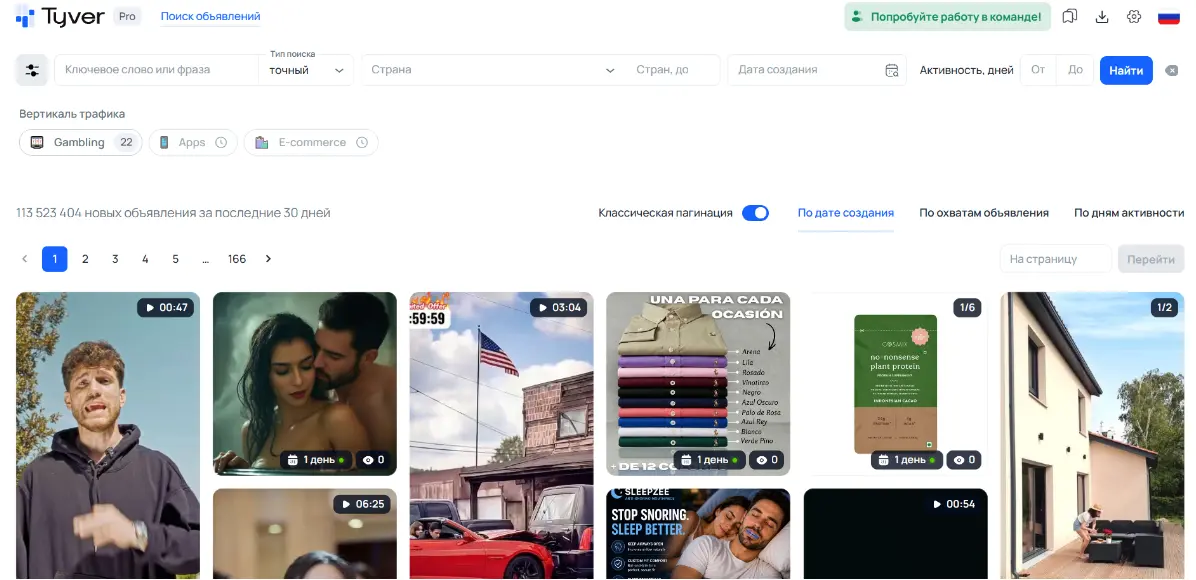
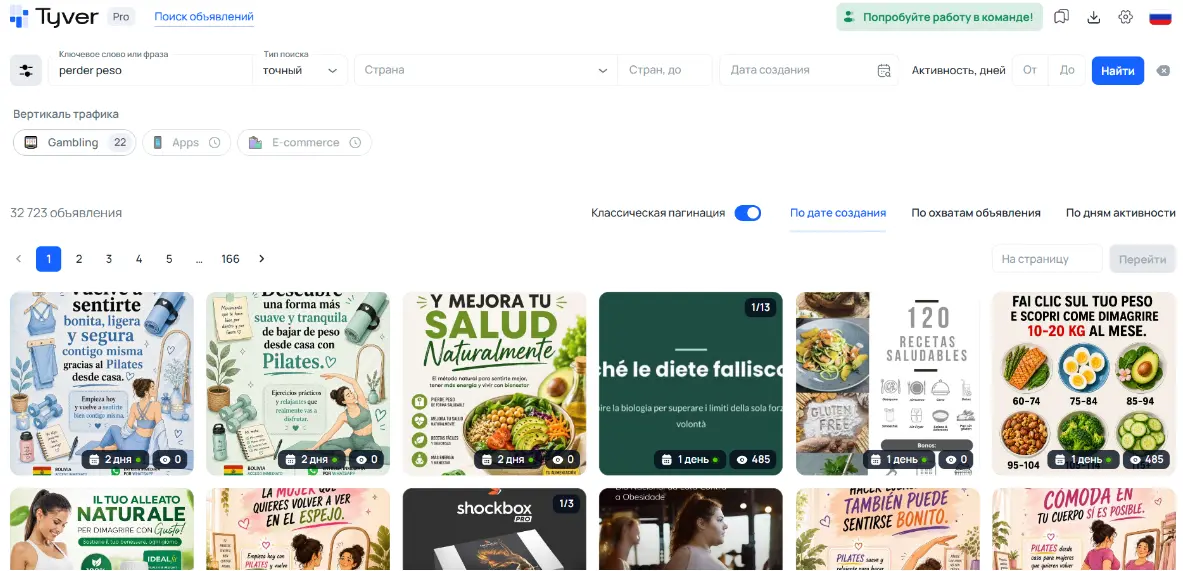
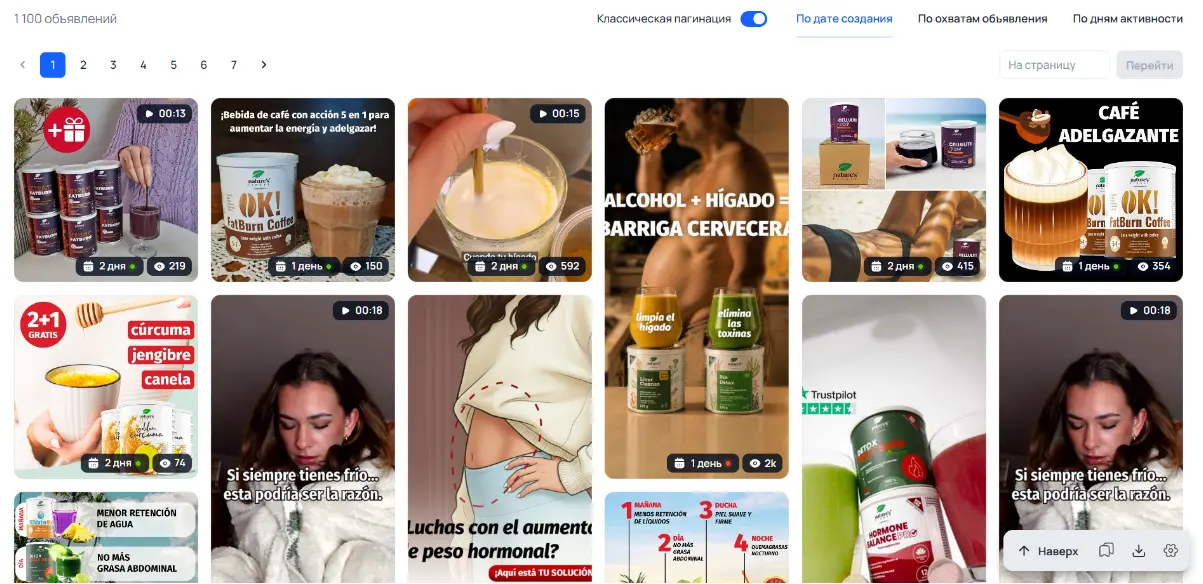
In the search results, you get a clear view of all the creatives discovered by the platform. Each ad card comes with its destination links, target platforms, launch dates, and often valuable performance metrics like impressions and demographic targeting.
To sort through this massive volume of ads, you can use advanced search parameters, filters, and sorting mechanisms. You can search by specific keywords or filter by GEO, target platforms, ad formats, and more. Essentially, a spy tool acts as a search engine for digital advertising, built specifically for competitor analysis and reverse-engineering winning angles.
Why Every Affiliate Marketer Needs a Spy Tool
When it comes to creative production, media buyers usually fall into two extremes:
- Direct, mindless copying of other people's ads.
- Creating ads entirely "from scratch," relying solely on gut feeling and intuition.
A spy tool provides the perfect middle ground:
- You get a bird's-eye view of the current advertising landscape in your niche.
- You clearly see which hooks, angles, and triggers resonate with the target audience—and which ones fail.
- When you iterate on existing ads, your modifications are backed by proven data.
Armed with competitor insights, you can confidently generate your own unique creatives or adapt existing ones with a high probability of success. While testing is always mandatory, analyzing your competitors first makes your tests faster, more accurate, and significantly cheaper.
How to Find Creatives Across Different Verticals
While the underlying search principles remain the same, each vertical has unique nuances that you need to account for when researching.
1. Keyword-Based Search
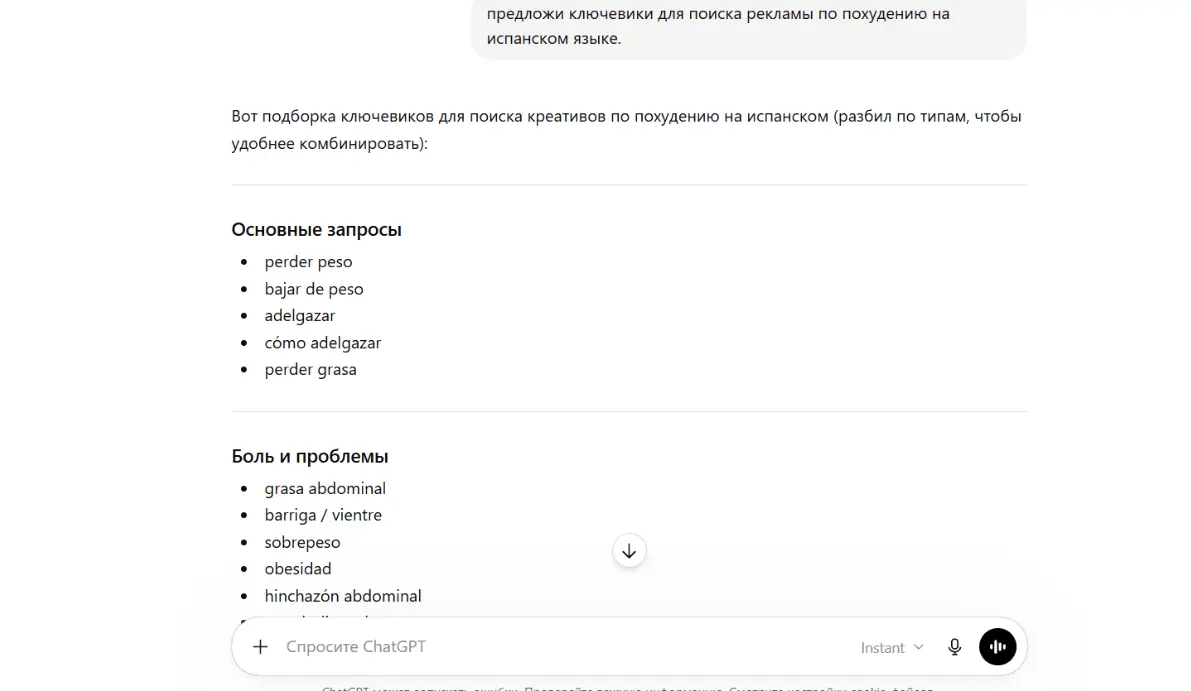
Gathering initial keywords for your niche is incredibly easy using AI tools like ChatGPT, Grok, or Gemini. Once you have your keyword list, run a search in the spy tool.
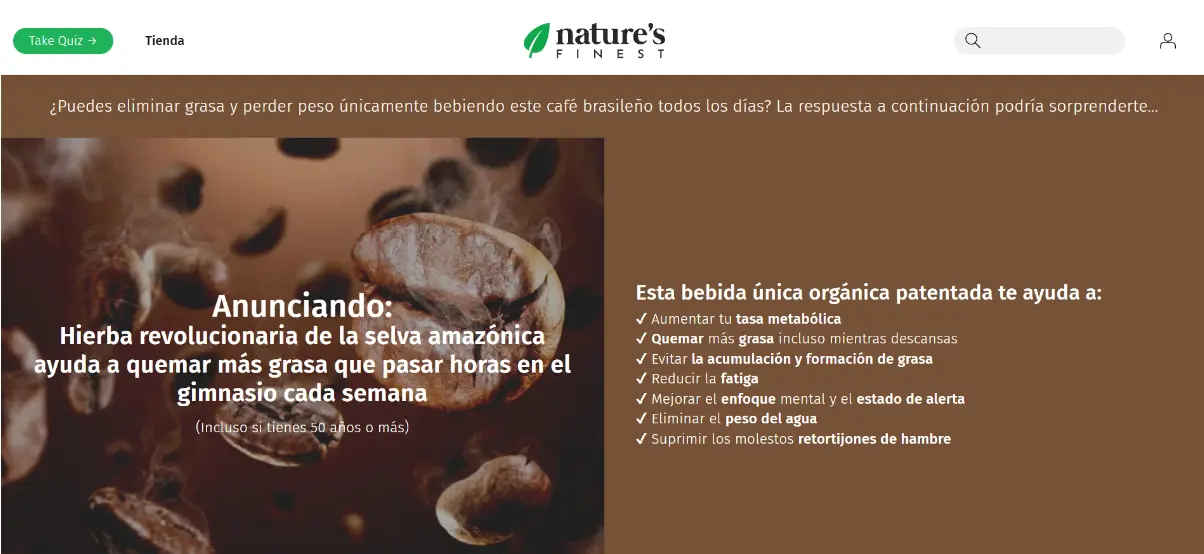
However, you will notice that many keyword-based results lead to WhatsApp chats, local nutritionists, or fitness centers. If your goal is to find pure affiliate marketing setups, you need to filter the results by specific URL strings.
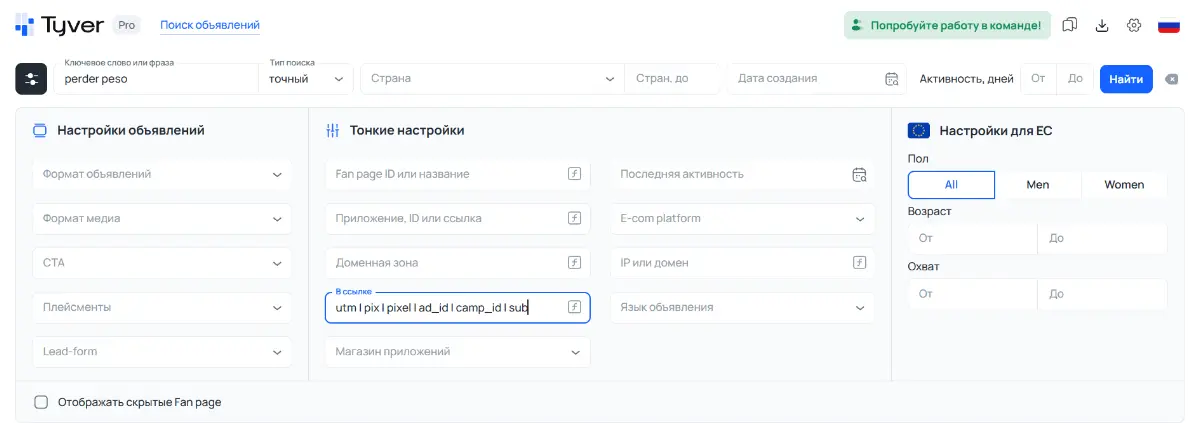
Affiliates almost always use tracking parameters. To isolate affiliate traffic, use the following tracking tokens as a URL filter:
utmpixpixelad_idcamp_idsub
To search for multiple tokens at once, input them separated by a vertical bar (the "OR" operator): utm | pix | pixel | ad_id | camp_id | sub.
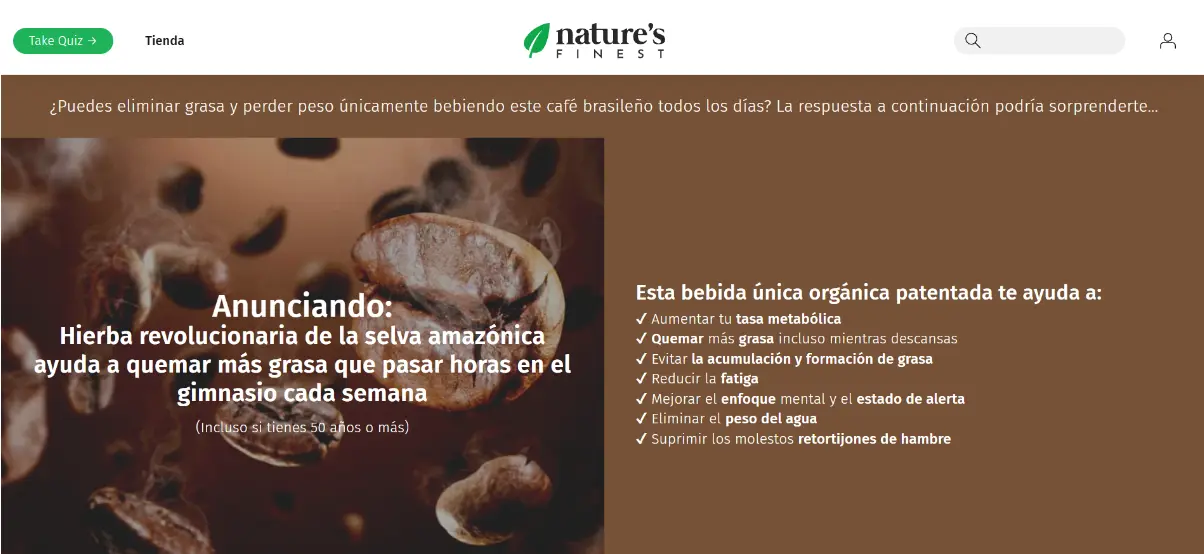
This instantly refines your feed, leaving you primarily with ads run by actual media buyers. To reverse-engineer the entire funnel, simply click into the creative and explore the destination links.
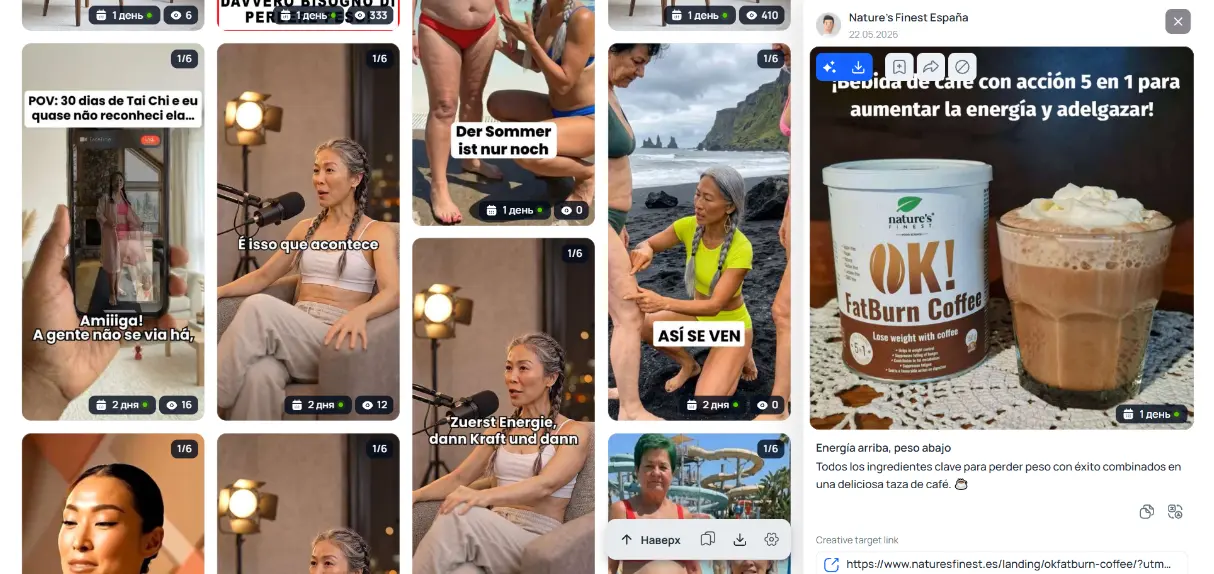
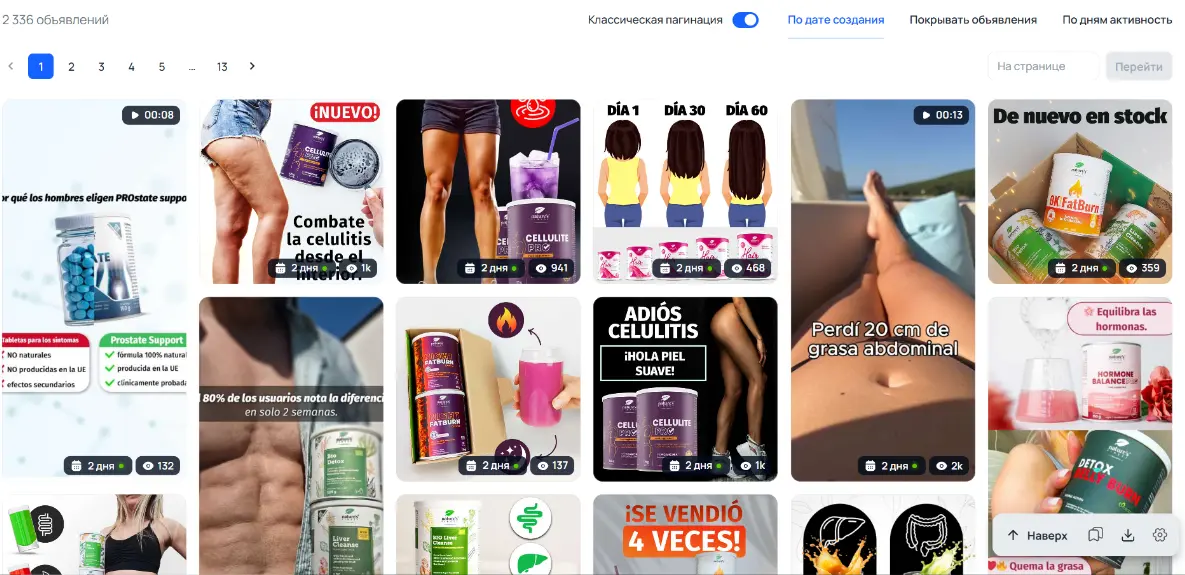
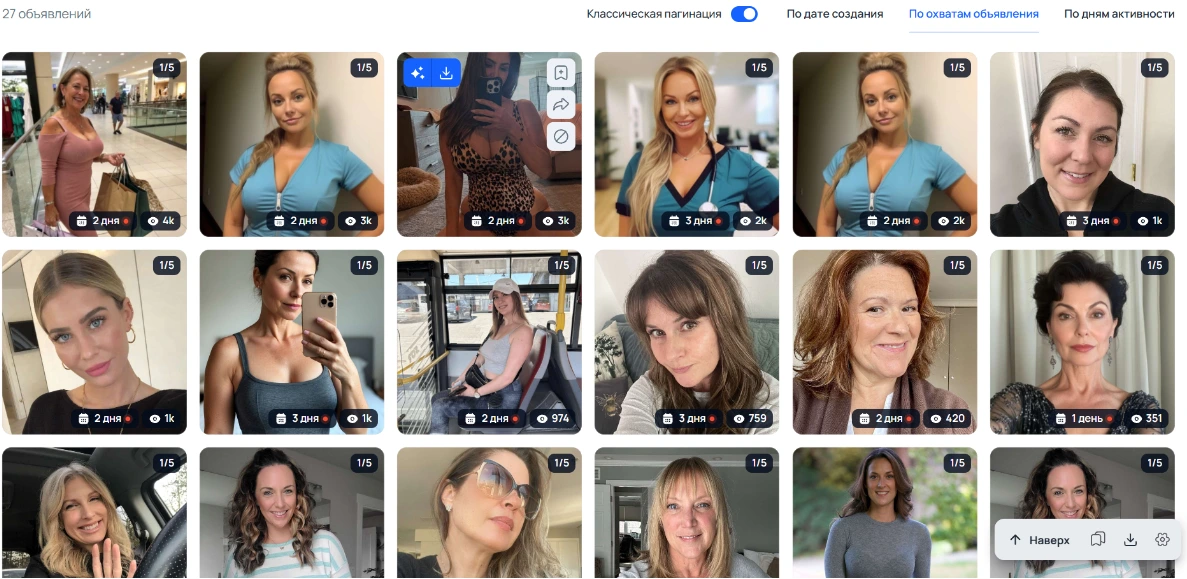
Pro Tip: How to deep-dive into a specific advertiser? If a particular ad catches your eye and you want to see what else that specific buyer is running, scroll down to the "Similar Ads" section. Clicking here opens a dedicated page showcasing all active ads launched from that specific Facebook Fan Page.

Alternatively, you can find every active ad pointing to the exact same root domain by switching to the "By Domain" tab. This method easily uncovers dozens, hundreds, or even thousands of ads from a single competitor, allowing you to track how long their creatives have been live, their impression counts, and whether they are focusing on one niche or multiple.
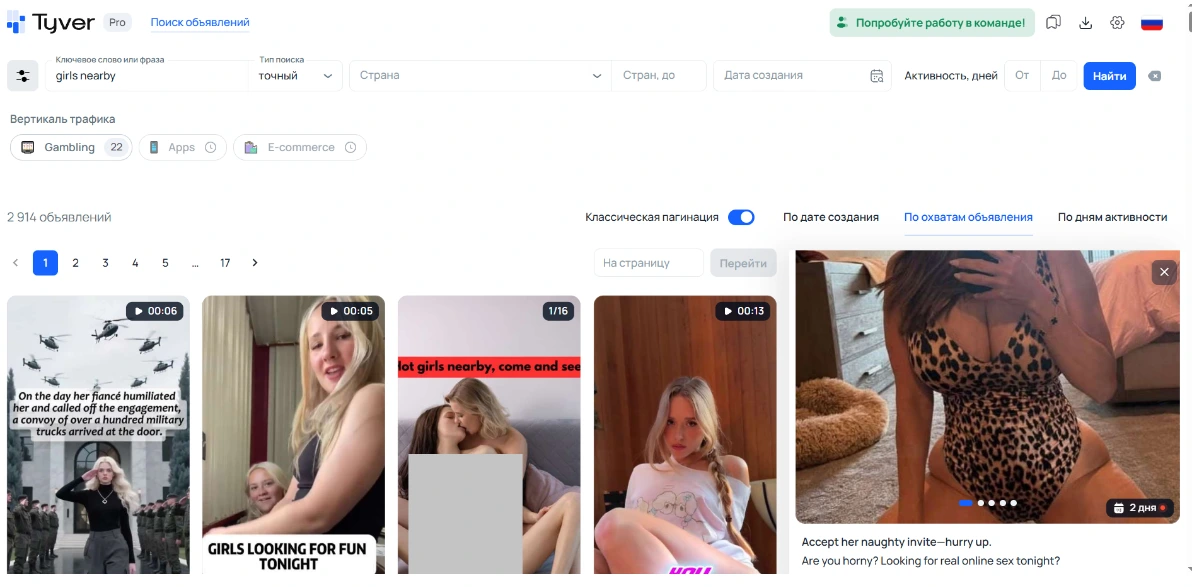
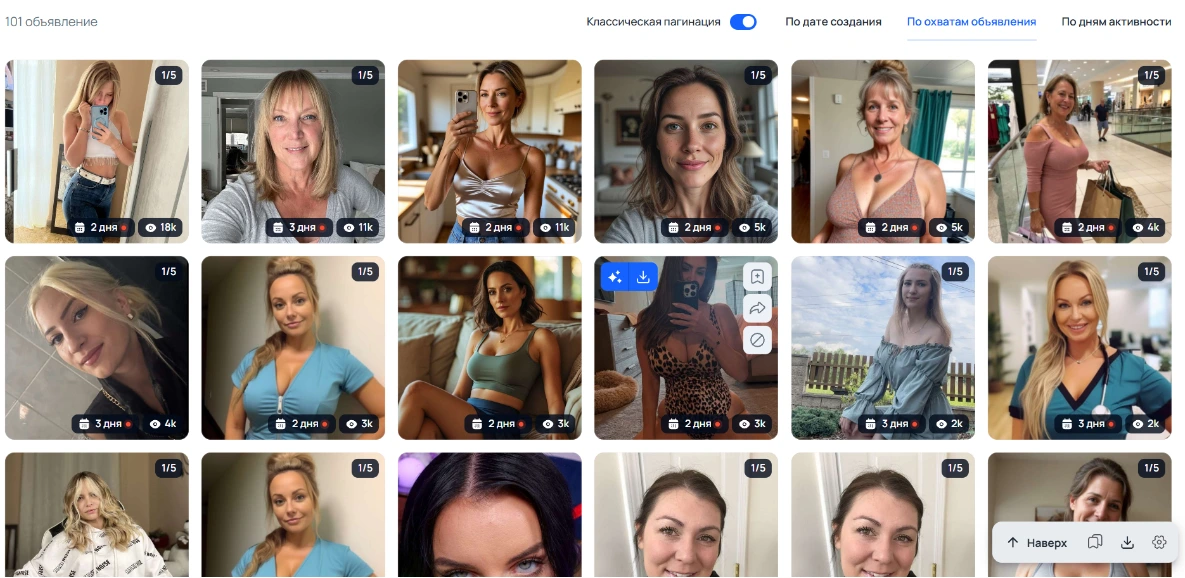
Let's look at another popular vertical using a classic query like "girls nearby". To verify it's a dating offer, check the landing page links. If it redirects to a dating platform, dive into the "Similar Ads" section by FB Page or Domain. This easily turns a single interesting creative into a goldmine of over 100 related ads.

2. Vertical-Specific Search Buttons
Tyver is actively rolling out dedicated vertical search buttons to streamline your workflow. An E-commerce button is arriving shortly, with more verticals following close behind.

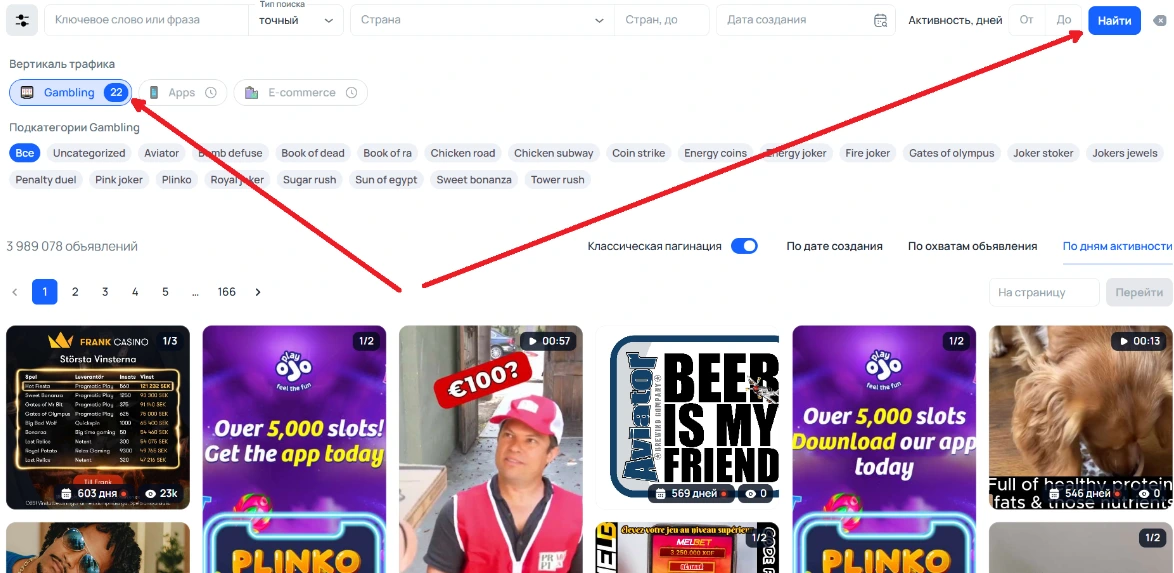
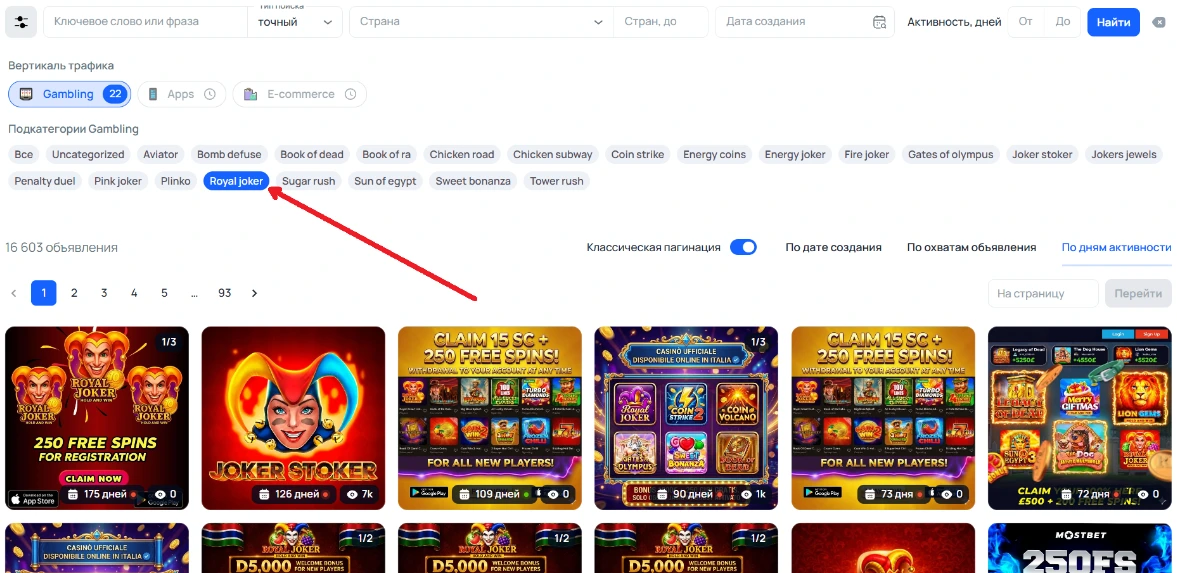
Using these buttons is seamless: click the button for your desired vertical, hit "Search," and the system automatically populates your feed with relevant niche ads. Tyver also plans to introduce sub-category filters for each vertical in the near future.
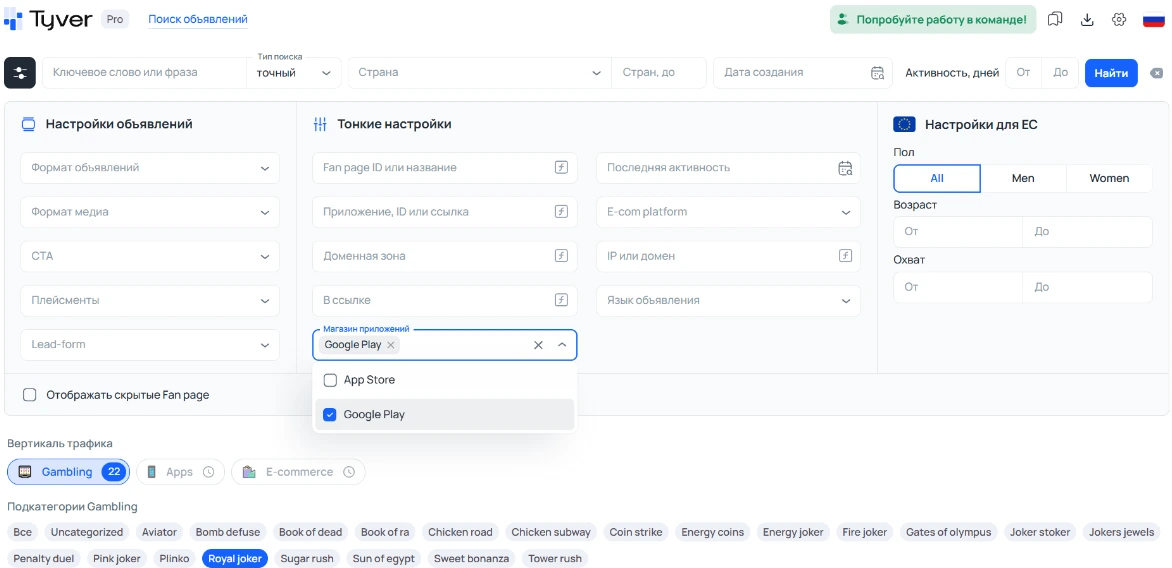
Currently, if you are looking for App-install campaigns and the dedicated button isn't active yet, you can use the App Store or Google Play platform filters to capture maximum mobile app traffic.
Conversely, if you are hunting for iGaming/Casino offers that bypass app stores and redirect straight to web landing pages, use the URL filter string and insert utm | sub to catch those web-funnel trackings.
3. Finance & Crypto
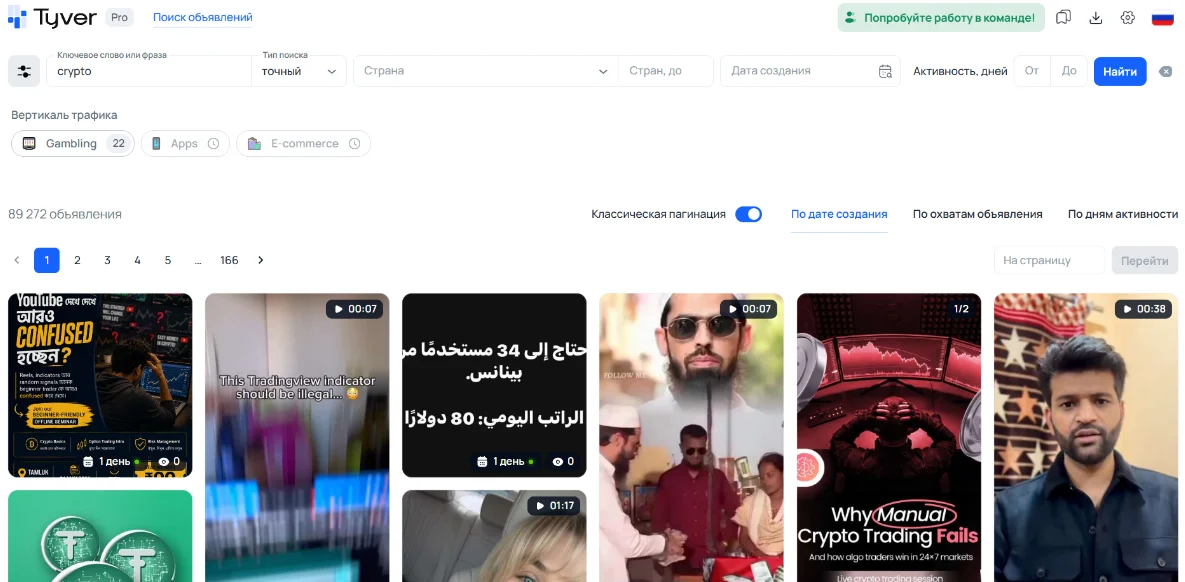
Much like the Nutra vertical, Finance and Crypto research relies heavily on smart keyword selection.
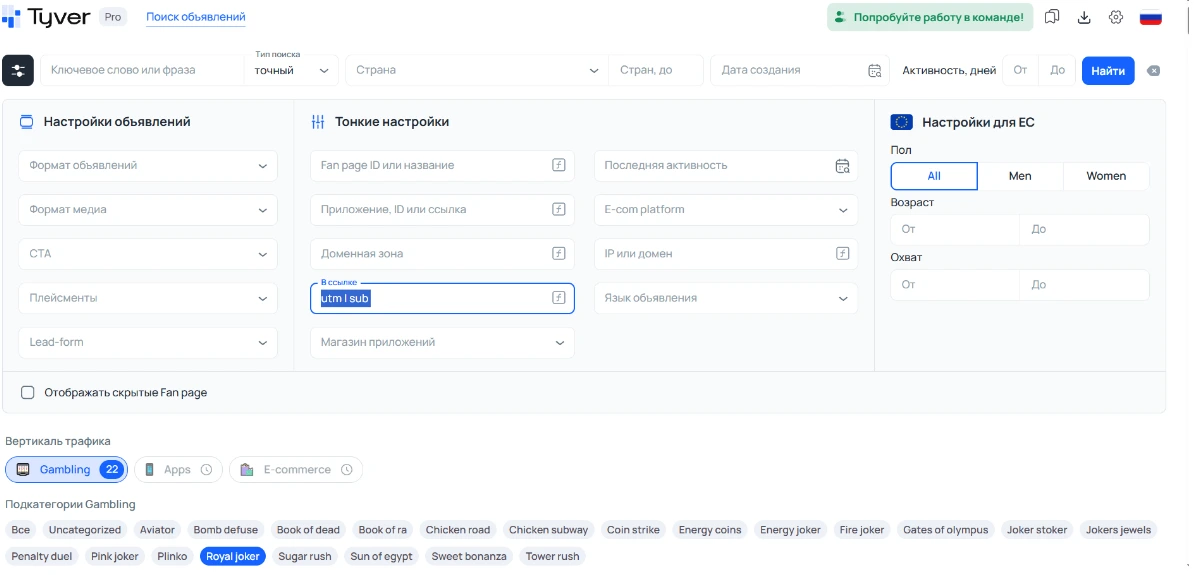
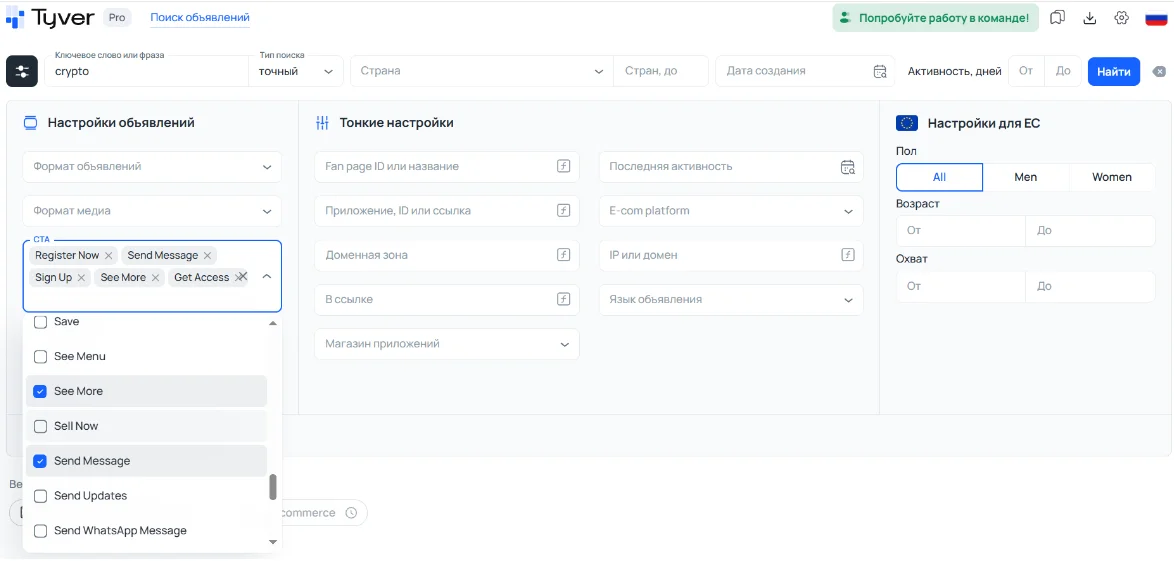
Start broad with terms like crypto, trading, credits, or loans, and then narrow your scope using URL fragment tracking or app store filters. In the Finance vertical, filtering by Call-to-Action (CTA) types is highly effective.

Affiliates in the Crypto space frequently utilize specific CTAs:
- Register Now / Sign up: Best for tracking retail trading platforms.
- Send message: Often used for funneling traffic to trading coaches and Telegram signals.
- See more / Get Access: Perfect for uncovering trading education funnels and courses.

4. E-commerce
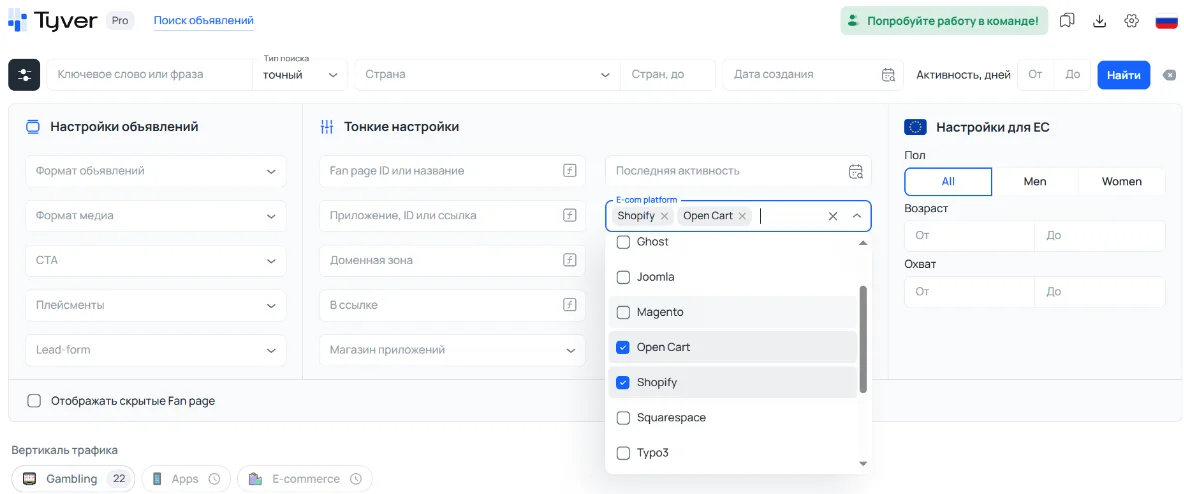
To quickly find dropshipping or white-label e-com ads, simply apply the E-com Platform filter.
If you are looking for a specific product category (e.g., watches or dresses), pair this filter with a relevant keyword. If you want to track down ads leading to specific global marketplaces, enter the marketplace name directly into the "In URL" field.

Summary: Your Checklist for Finding Winning Creatives
Follow this step-by-step algorithm to discover working funnels:
- Set your core keyword or category: Enter your niche keyword, or use vertical buttons like Gambling when available.
- Apply advanced filters: For affiliate funnels, add URL strings (
utm,ad_id,pix). For mobile offers, filter by App Store or Google Play. For online stores, filter by E-com platforms. - Configure your target GEO and Language: If you need to source European creatives, use the dedicated EU settings to adjust age and reach parameters. Keep these broad initially to avoid bottlenecking your data. The system will automatically serve ads targeted at European Union countries.
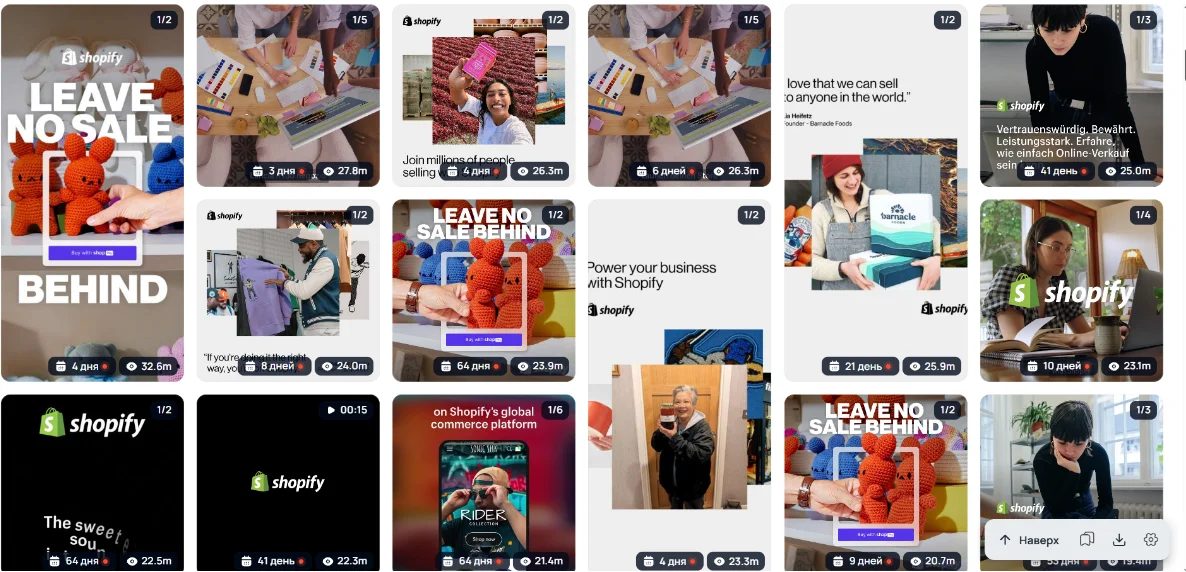
- Spy on specific advertisers: When you find a winning ad, always check the "Similar Ads" section. Reverse-engineering a single successful competitor often yields far more value than searching random keywords.
- Utilize Sorting: Tyver features three critical sorting modes: Newest, Reach, and Days of Activity.
- Sorting by Reach brings the highest-impression ads to the top. These are creatives Facebook is actively pushing because they boast high user engagement.
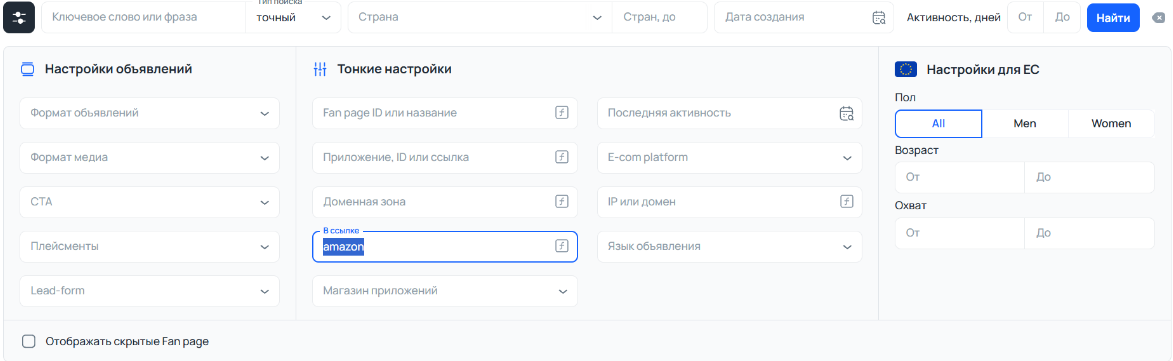
- Sorting by Days of Activity reveals the most evergreen, long-running ads. If a media buyer has been paying to run an ad for weeks or months, it is highly likely profitable.
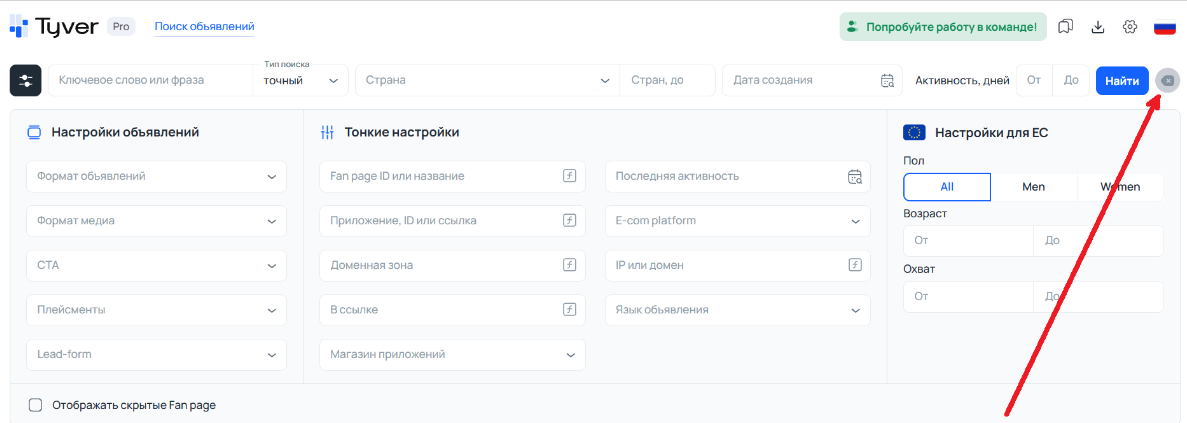
Note: If you need to instantly wipe your search parameters and start a fresh query, simply click the "X" icon next to the "Search" button.
Final Thoughts
Using an ad spy tool is essentially conducting a fast-tracked market research campaign while simultaneously sourcing assets for your own ad sets. By combining precise filters, GEO targeting, and deep advertiser lookups, you can uncover highly profitable funnels and creative angles in under an hour.
The golden rule remains: never copy-paste blindly. Instead, analyze the psychological triggers, understand why the angle works, and thoughtfully adapt it to fit your own offers and campaigns.