
Telegram Expert Review: Full Control Over Accounts and Automation in Telegram

Working in Telegram today is rarely easy. The platform is actively changing its rules, limits, and approaches to regulating activity, which means that even routine actions can suddenly lead to restrictions or bans. Sometimes sending a couple of messages to users who are not in your contact list is enough to get your account limited or temporarily blocked.
Account registration is a separate headache. Depending on the region, Telegram may require different forms of confirmation: in some places, a phone call is enough, while in others, reCAPTCHA or additional checks appear. This is tolerable when working alone, but when scaling up, such nuances begin to directly affect the speed, efficiency, and stability of processes.
Telegram is no longer just a messenger, but a complex ecosystem with its own rules, risks, and technical limitations. And to work with it systematically you need a unified solution, not a set of disparate tools.
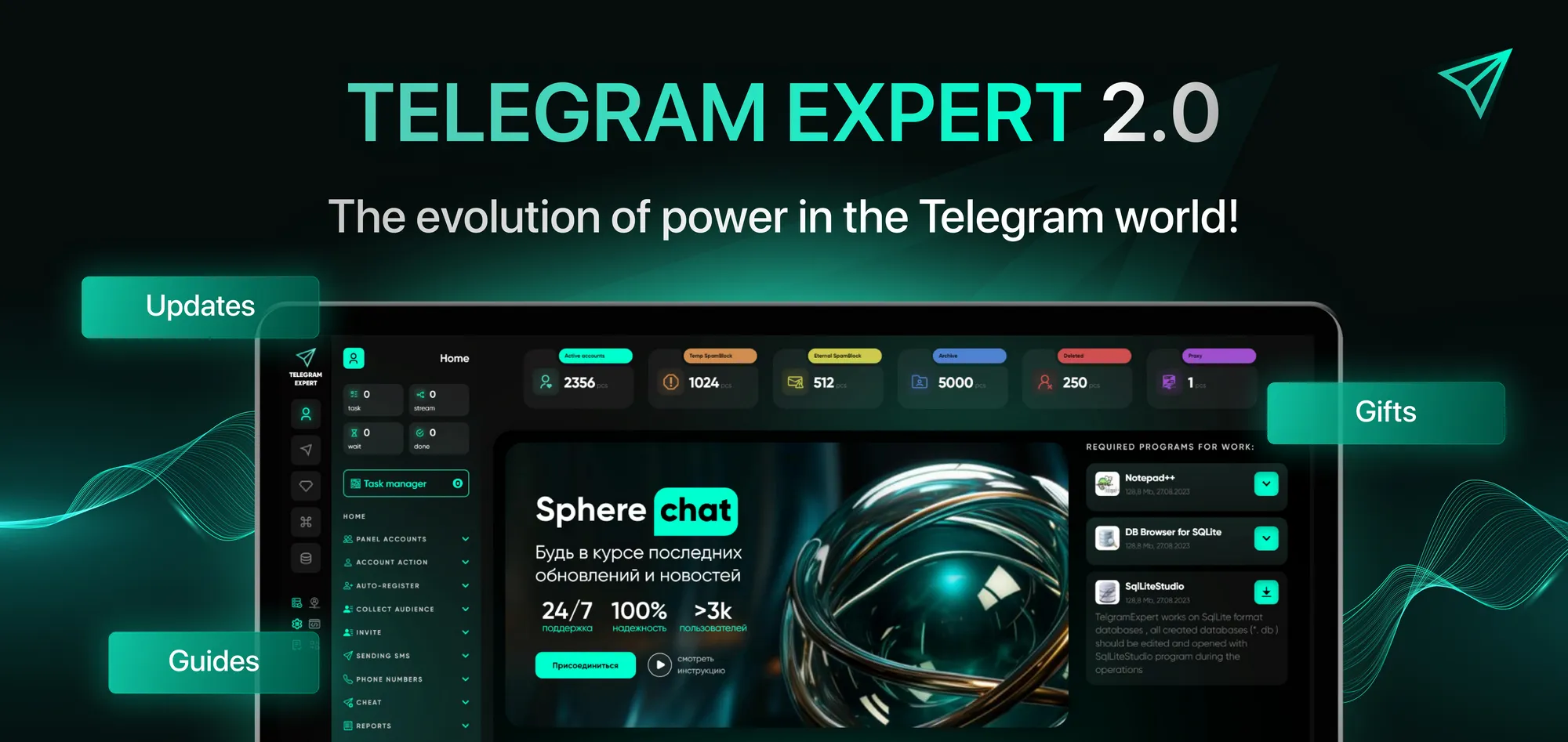
Telegram Expert is a multifunctional software that covers the entire cycle of working with Telegram: from registration and account warming up to mailings, analytics, and large-scale actions. In this review, we will analyze what Telegram Expert is, what tasks it solves, and why it is chosen for professional work.
Main sections of Telegram Expert: what's here and why
Accounts panel
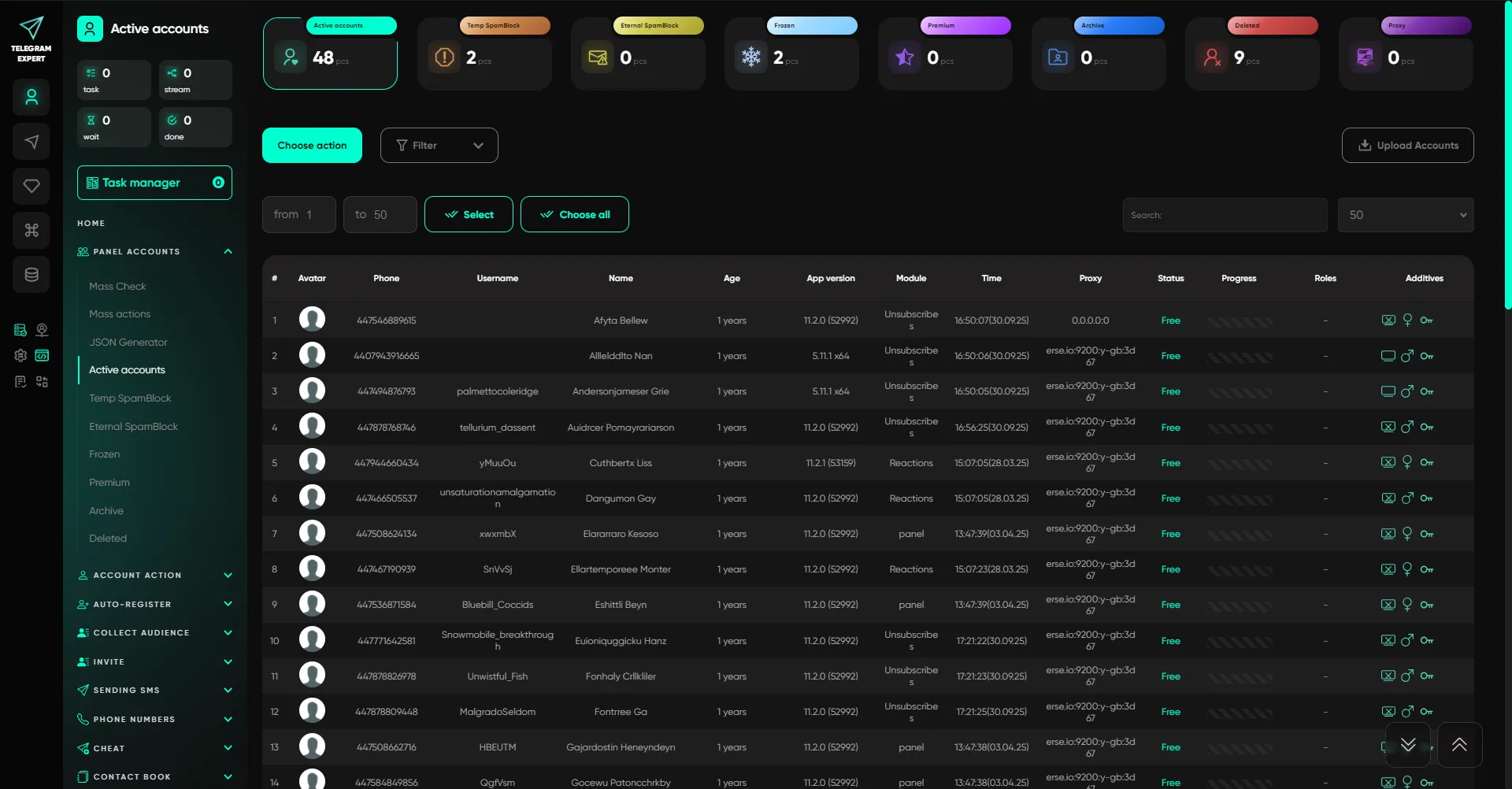
Control center for all sessions: adding, distributing to folders, monitoring statuses, and basic actions. This section is necessary to manage accounts as a single infrastructure.
Additionally, the panel is convenient for performing regular maintenance: checking status, changing profile designs in batches, quickly bringing accounts online and sorting them into folders based on the results of checks. The modules support streaming and randomization to distribute the load and make actions less monotonous. Default folders: Active, Temporary Spam Block, Permanent Spam Block, Frozen, Premium, Archive, Deleted. Important: “The Active” folder is used as the basis for most modules.
Key features:
- select accounts (select/select all) and launch actions from a single menu;
- in “removed” additionally: close the current session or delete the account from the software;
- “Mass check” (ban/restrictions) with automatic distribution by folders;
- “Mass actions”: batch operations with a profile (photo, bio, username, 2FA), including privacy management, sessions, auto-deletion, online withdrawal, proxy;
- “JSON generator” for restoring/creating JSON if there is a session or a damaged file.
Account actions
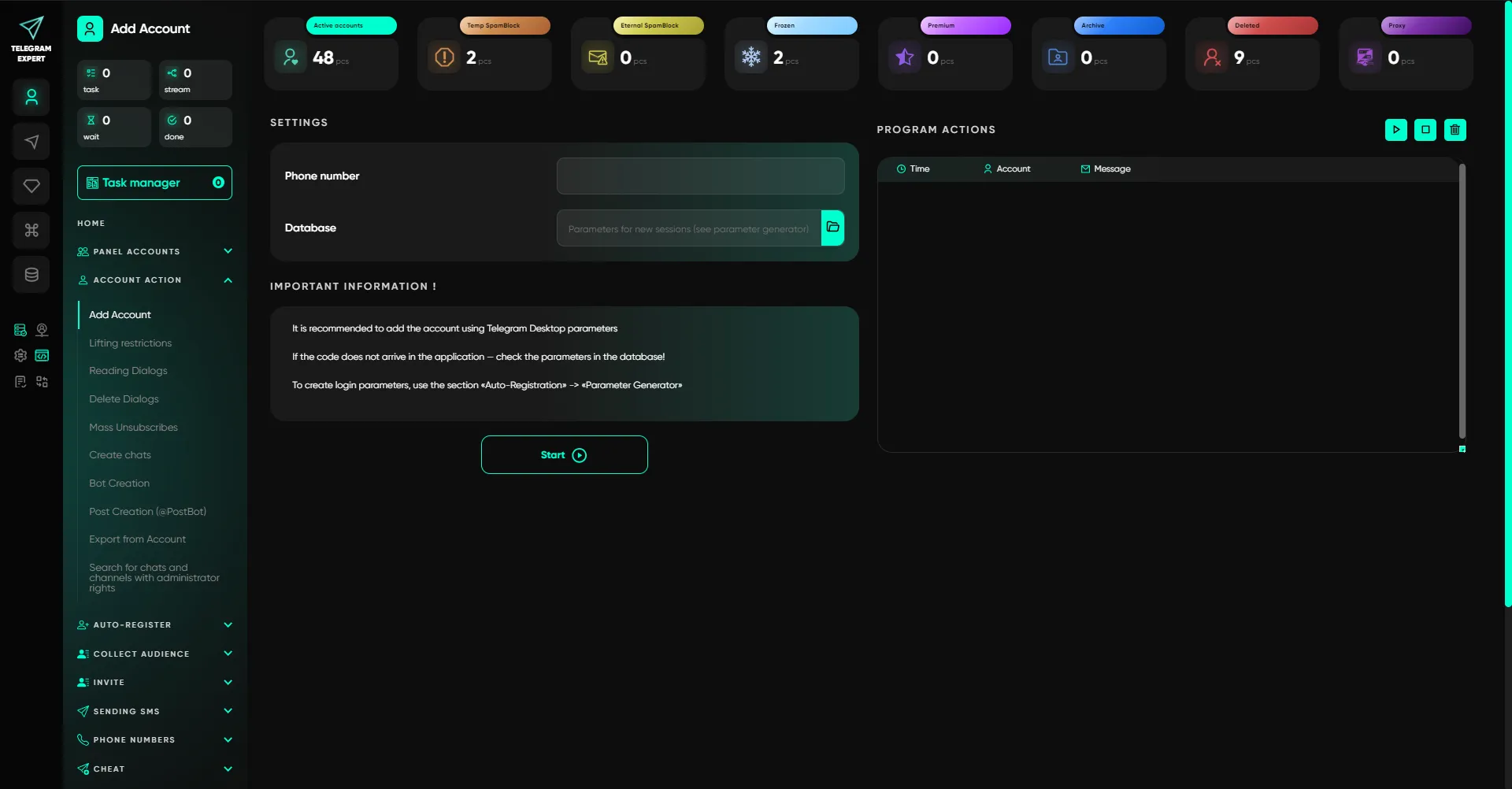
A section for more sensitive operations and maintenance activities on a large scale. It contains tasks that manually take hours to complete: dialogue processing, service operations, data export, and restoration of operability.
Main modules:
- adding an account (with parameters from the “Parameter Generator” and receiving a code);
- removing restrictions (spam block/freeze) via SpamBot with 2captcha support and auto-substitution of data;
- reading/deleting dialogues;
- mass unsubscribes (chats/channels/both options);
- creating chats/channels (name, username, privacy, avatar, post);
- creating bots (photo, bio, description, privacy);
- creating posts via @PostBot with ID retrieval for further distribution;
- exporting data from an account (with or without connection), including situations with blocked accounts;
- searching for chats/channels where there are administrator/owner rights, and transferring owner rights by username.
Auto-registration
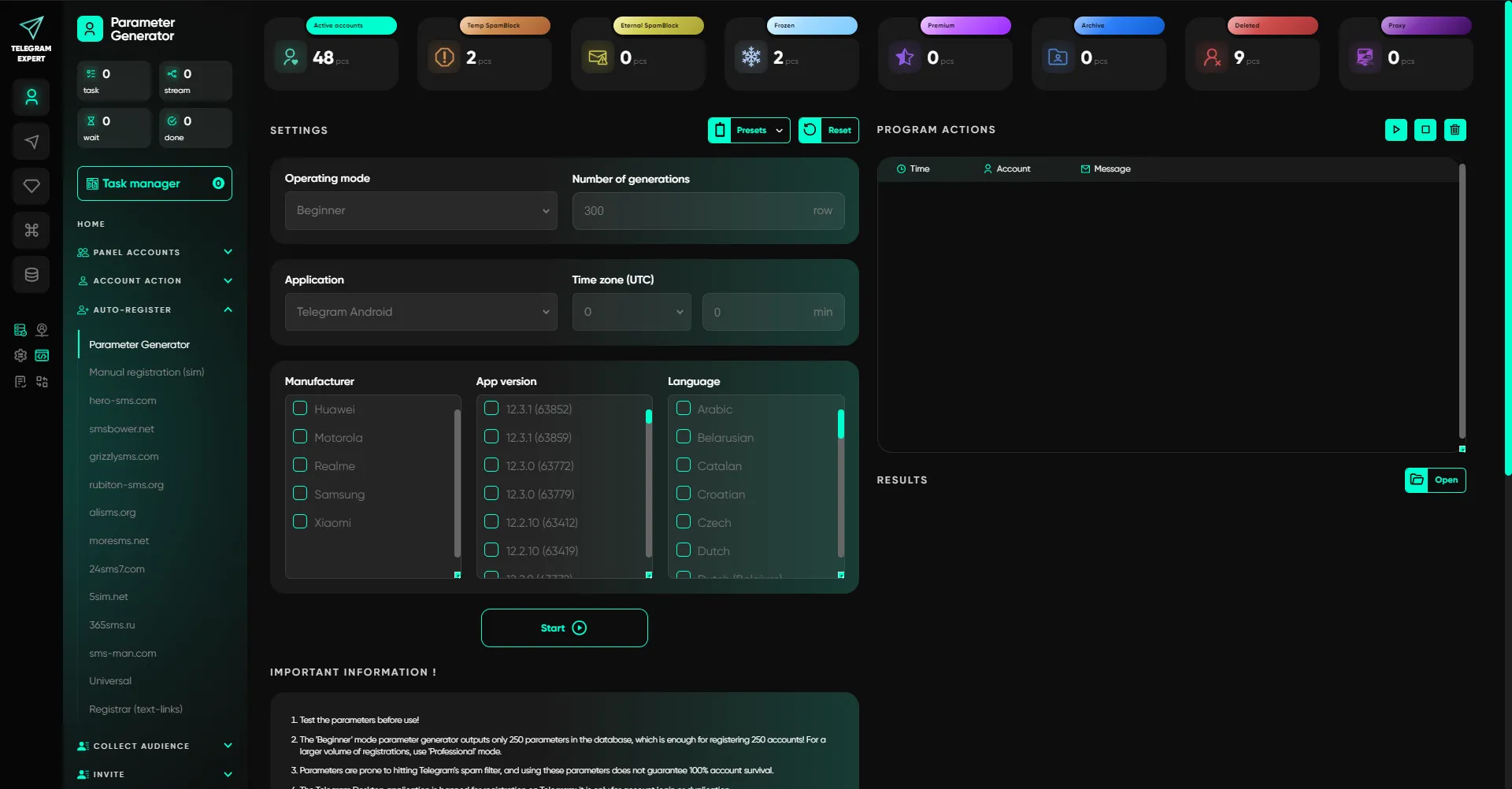
Tools for registering Telegram accounts on SIM cards and via SMS providers, including proprietary API connections. This section takes into account regional characteristics and checks and also allows you to set up streamlined registration with control over waiting times and restrictions.
An important point is flexibility in terms of geography and API: you can collect registrations for different countries, connect proxies for specific tasks, and choose a scenario for obtaining the code. Mobile device emulation (AntiSafety) helps to bring behavior closer to native.
Includes:
- “Parameter generator” (beginner and professional modes);
- “Manual registration” via physical SIM cards with device emulation, name/photo/bio configuration, 2FA, temporary email, and API proxying;
- “Registration via SMS services” (10 providers, AntiSafety emulation, code waiting, number filters, geo/prices, code receipt methods: SMS/call/flashcall);
- “Universal registrar” for services without built-in integration (different API types, multi-geo, proxy);
- “Text link registrar” — registration via text links with parameters and standard settings.
Audience gathering
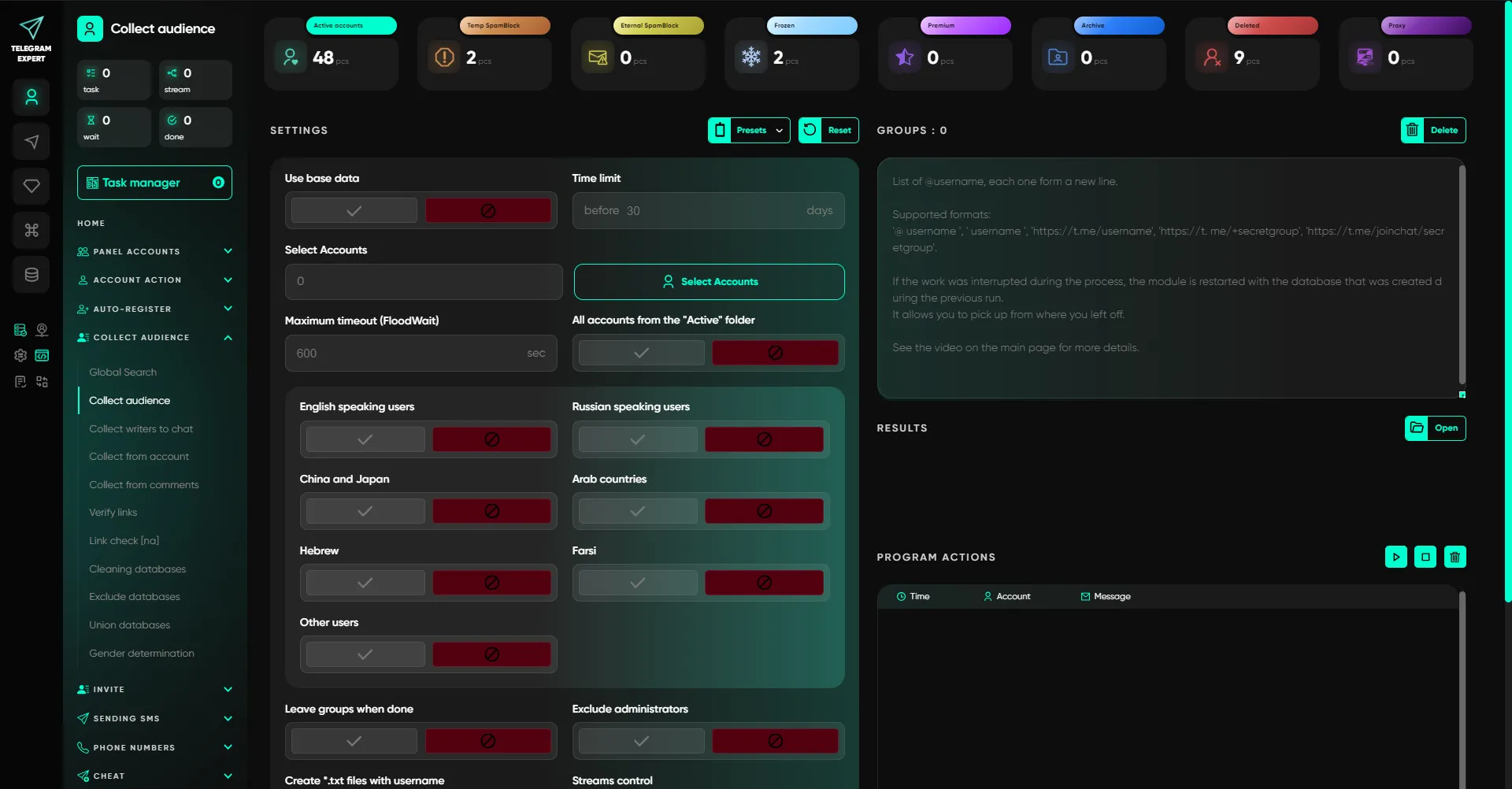
Modules for creating target databases for specific tasks: parsing from chats/comments, selecting active users, checking links, and subsequent work with databases. This allows you to build mailings and invitations based on a real target audience, rather than blindly.
Main scenarios:
- global search (selection depends on geo account);
- collection from chats with language selection;
- collection of chat writers (with activity period restriction);
- collection from an account (by subscriptions, including collection by comments);
- collection from comments under posts (with a filter by publication period);
- link verification (with accounts) and link verification without accounts (via proxy).
Telegram Expert also work with the databases you have collected as a result of parsing: cleaning (according to criteria), excluding databases (anti-duplicates), merging (up to 5), determining gender using a neural network (accuracy over 75%).
Inviting
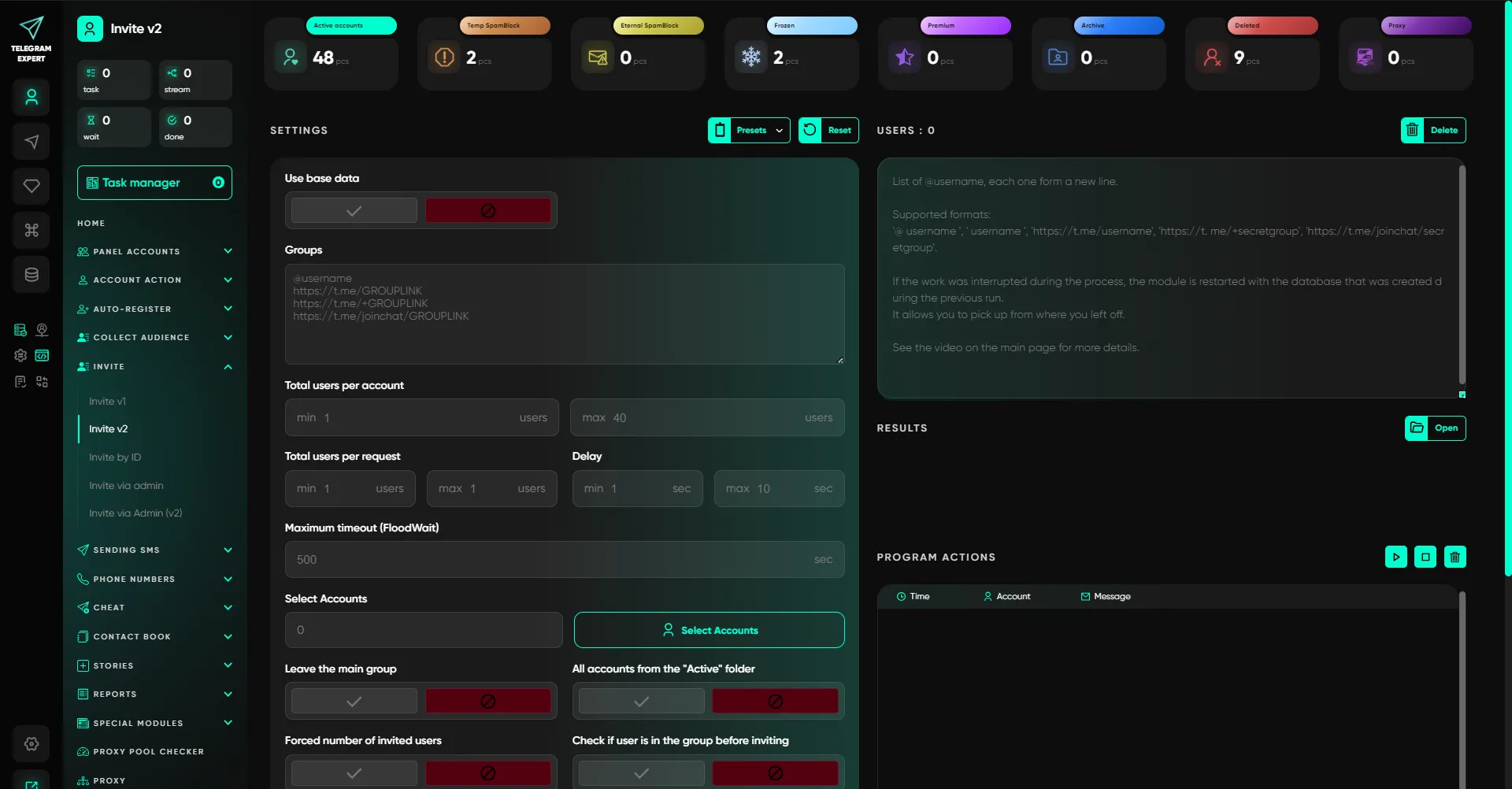
Tools for inviting users to chats/channels using various methods.
Modules:
- Invite V1 (by username);
- Invite V2 (quantity control, checking group membership);
- Invite by ID;
- Invite via admin V1 (by granting/removing admin rights to accounts);
- Invite via admin V2 (assigning rights via bots: accounts add a bot and grant rights, then the bots do the work).
Sending messages
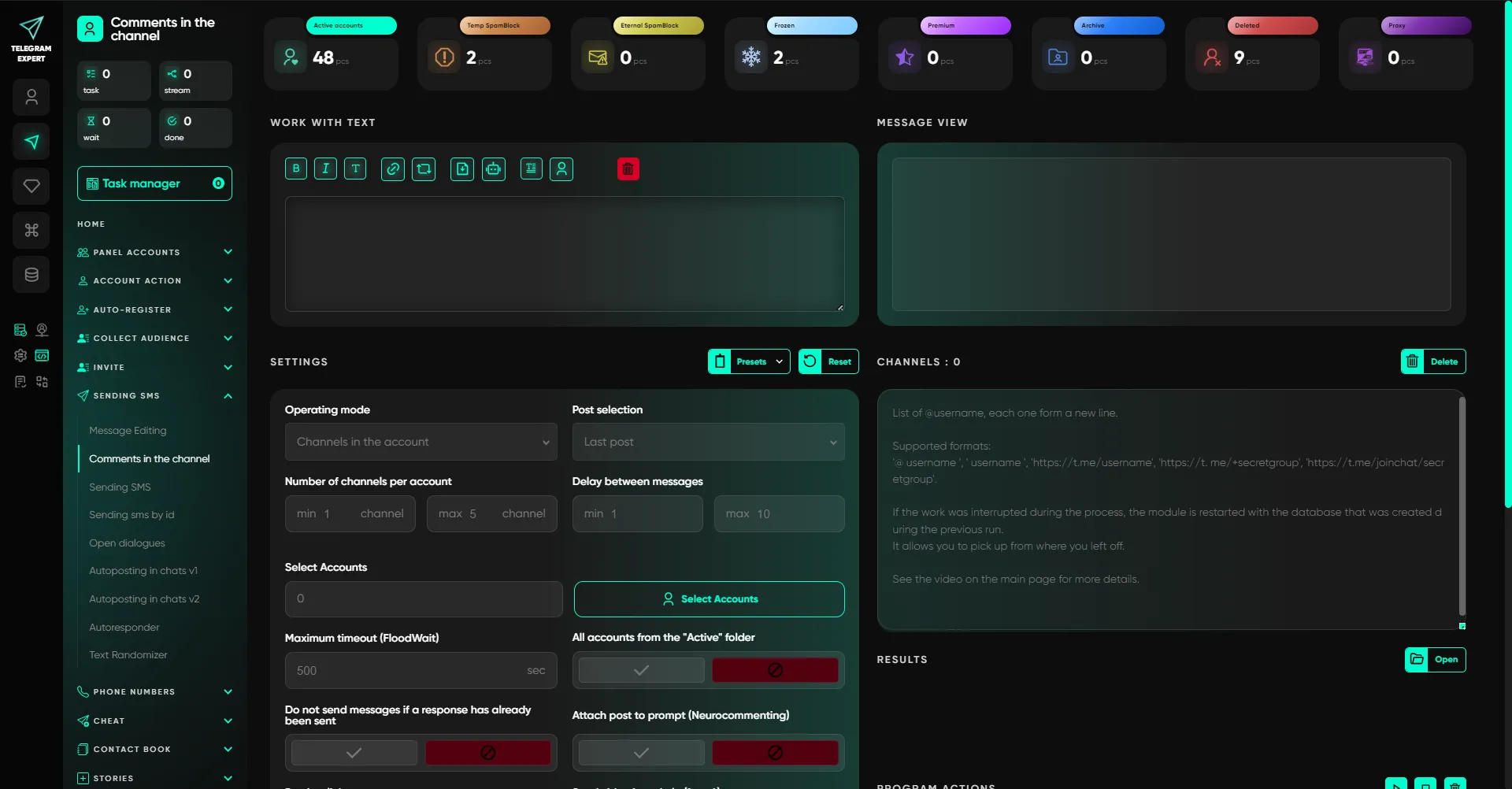
Communication section: personal mailings, comments, auto-posting, auto-replies, and uniqueness tools. Here, not only mass distribution is important, but also controllability: delays, flows, format variability, and reduction of templating.
For non-standard formats, you can use posts via @PostBot (buttons and interactive) and then send them in mailings. Depending on the task, the mode is selected: cold mailing from the database, work by ID, communication in open dialogues, or auto-posting in chats.
Key modules:
- message modification (editing messages sent within the last 48 hours);
- channel comments + neuro-commenting (AI generates responses based on prompts + takes into account the context of the post itself);
- sending SMS messages to a database/audience and sending SMS messages by ID;
- open dialogs (messages only in existing chats);
- auto-posting to V1 chats (joining chats + posting) and V2 chats (posting to existing chats);
- auto-responder;
- text randomizer (character substitution/spintax).
Important: when the GPT module is enabled, the specified text can be used as a prompt, and the final version of the message is generated by AI.
Phone numbers
![][/blog/image8.webp)
Working with numbers as a separate database:
- number checker (does the number have a Telegram account + basic data);
- invite by number (with preliminary verification and format cleaning);
- send by number (mailing without usernames).
Warming up activity
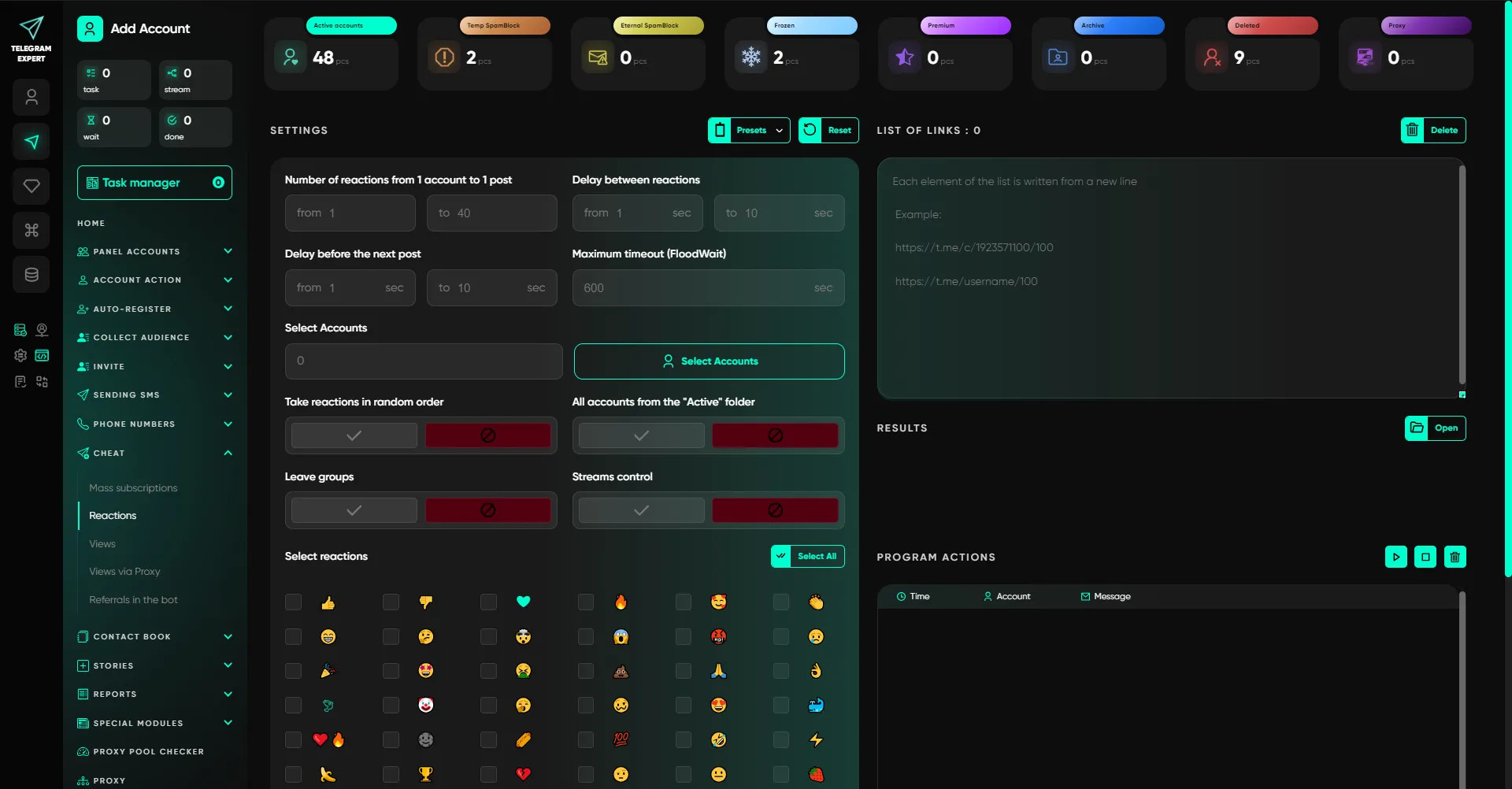
Tools for increasing metrics and preparatory actions. Used both for testing and warming up activity, and as a technical stage before other operations (for example, subscribing to accounts before parsing or posting).
Modules:
- mass subscriptions (subscription/joining as a preparation stage and as a boost);
- reactions to posts;
- views from accounts (speed is adjustable);
- views via proxy (without accounts; not displayed in official statistics);
- referrals to the bot (subscribers/referrals via links).
Contact book
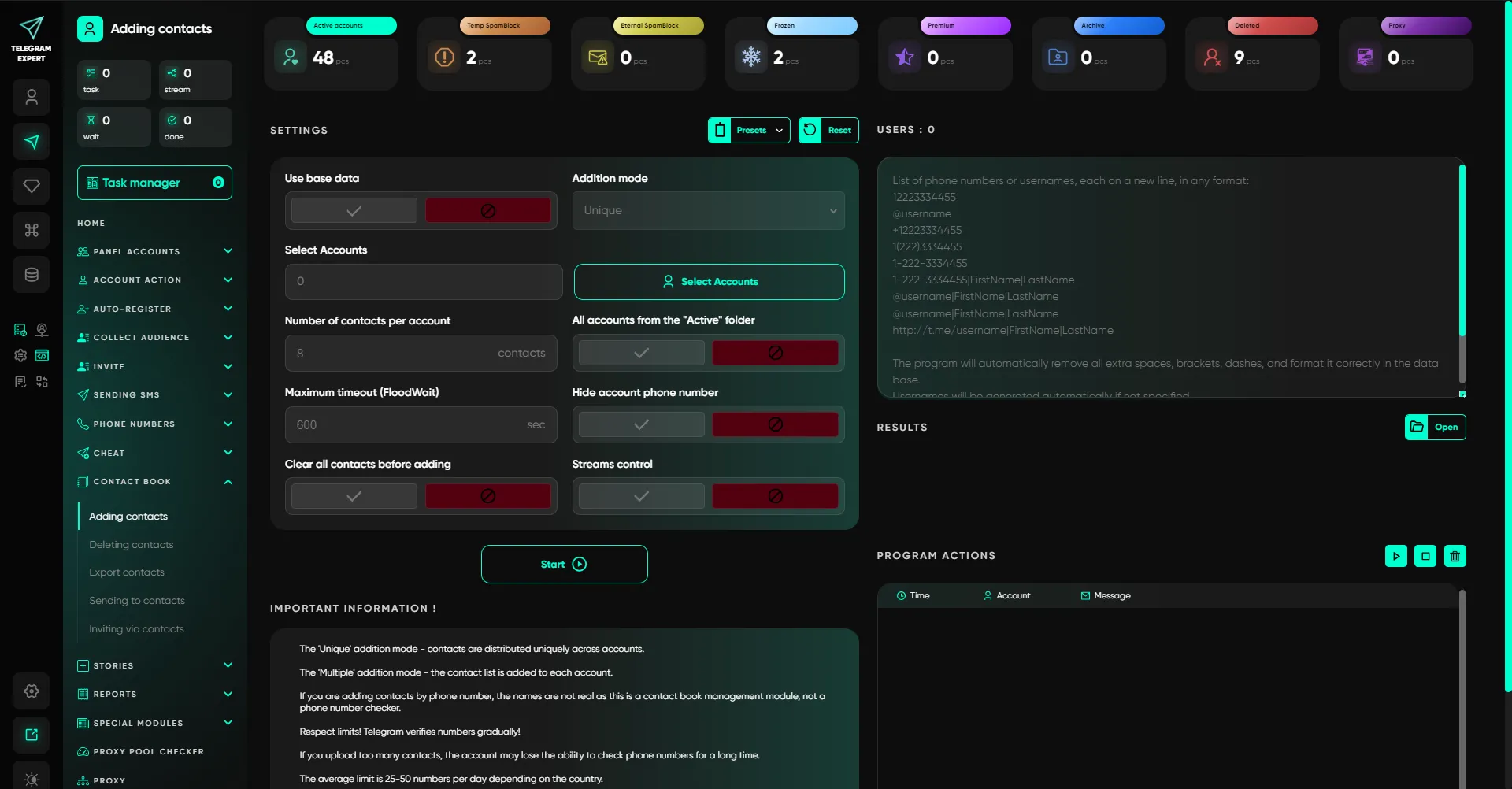
Native scenarios via the contact book:
- adding contacts (with first name/last name);
- deleting contacts (in bulk or individually);
- exporting contacts;
- sending messages to contacts;
- inviting contacts.
Stories
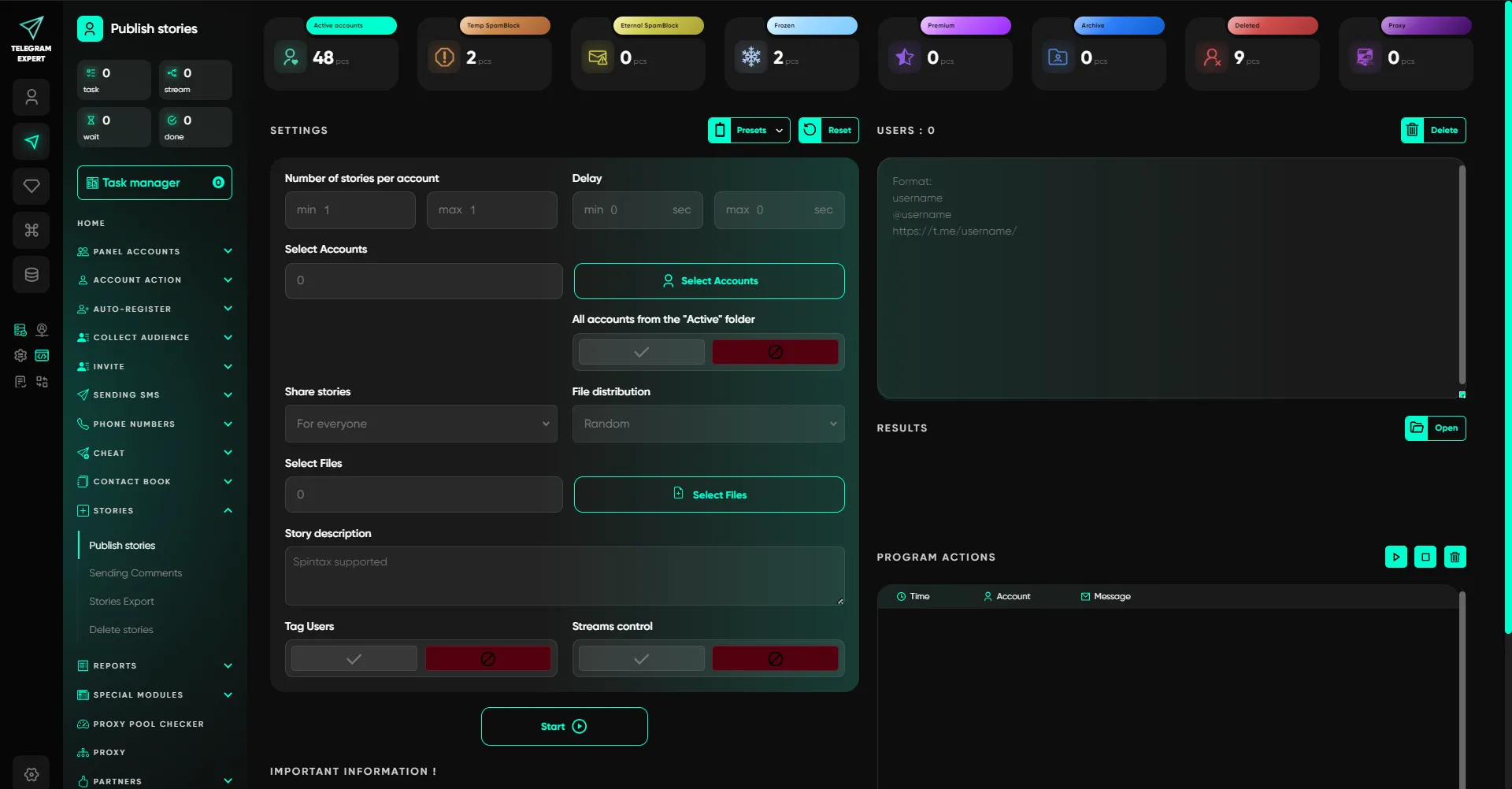
Modules for working with stories:
- publishing stories (taking into account mobile restrictions and geo requirements, including Premium in certain cases);
- commenting on stories (in private messages with story citations);
- exporting links to stories;
- deleting stories.
Reports
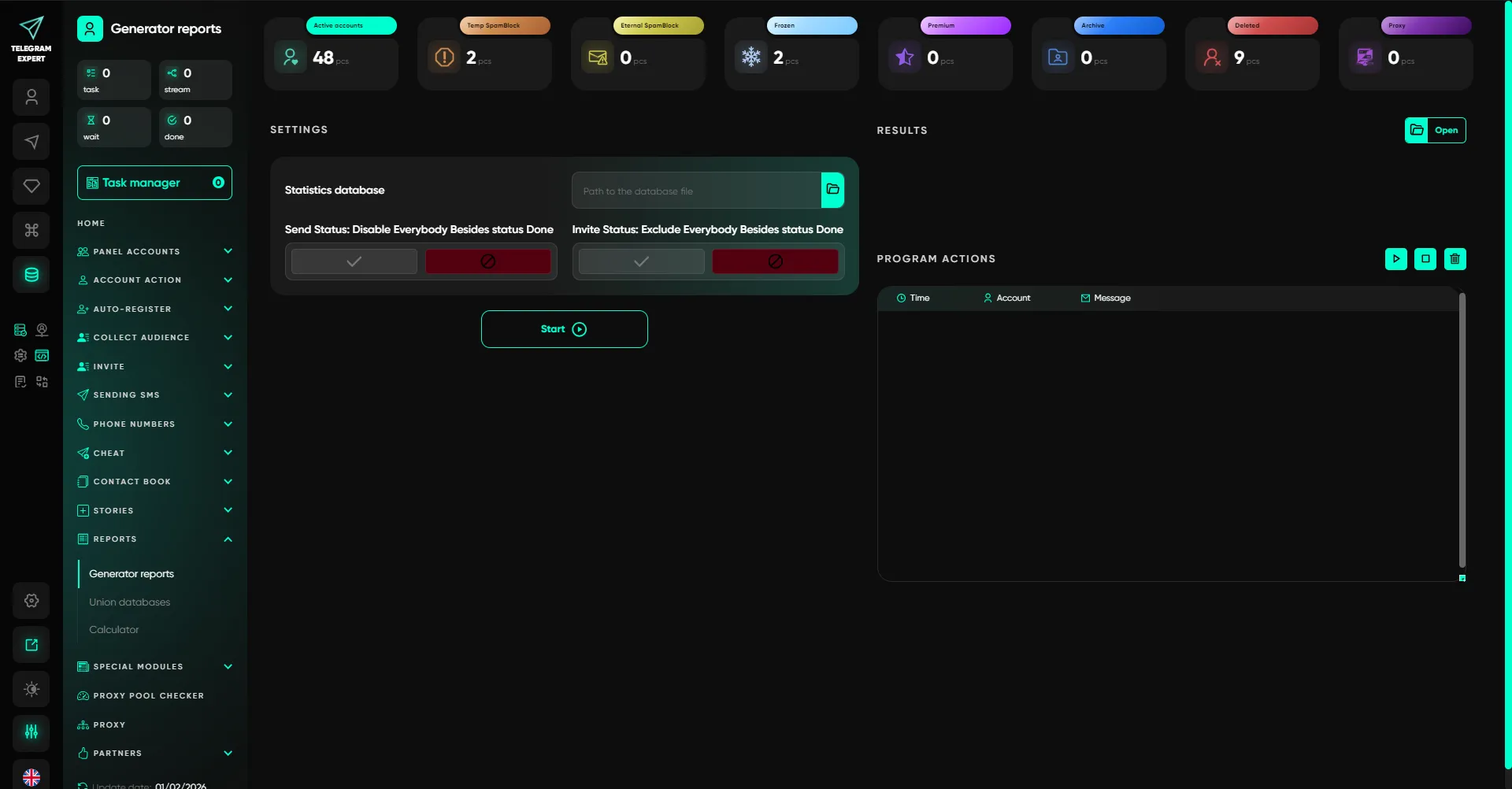
Analytics and data aggregation:
- report generator for mailings and invitations;
- combining statistics/results databases;
- calculator (load and total for each account).
Special modules
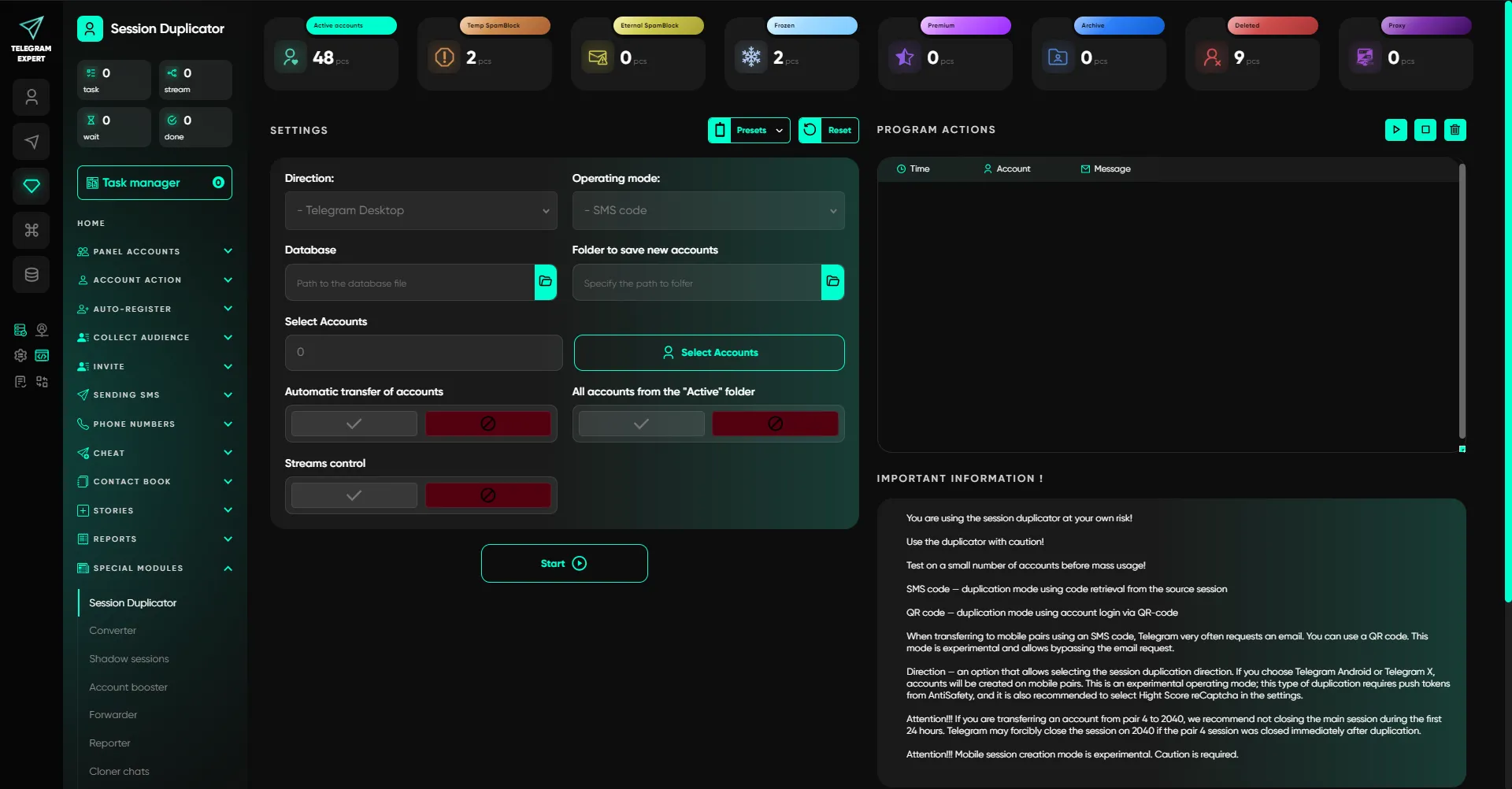
Advanced tools for those who work with large volumes and want to expand their scenarios: session management, format conversion, warm-up, automation of forwarding and monitoring, as well as technical operations with chats/channels.
Modules:
- session duplicator (mobile/desktop);
- Session ↔ TData converter (both ways);
- shadow sessions (hidden, with back-and-forth translation);
- account booster (warming up by initiating correspondence between accounts according to different scenarios);
- forwarder (forwarding unread messages to a single chat and returning replies to the target dialogue, convenient for replying to messages on other accounts from a single account);
- reporter (complaints about entities/content);
- chat and channel cloner;
- trigger word interceptor;
- adding/removing admins.
Proxy pool checker
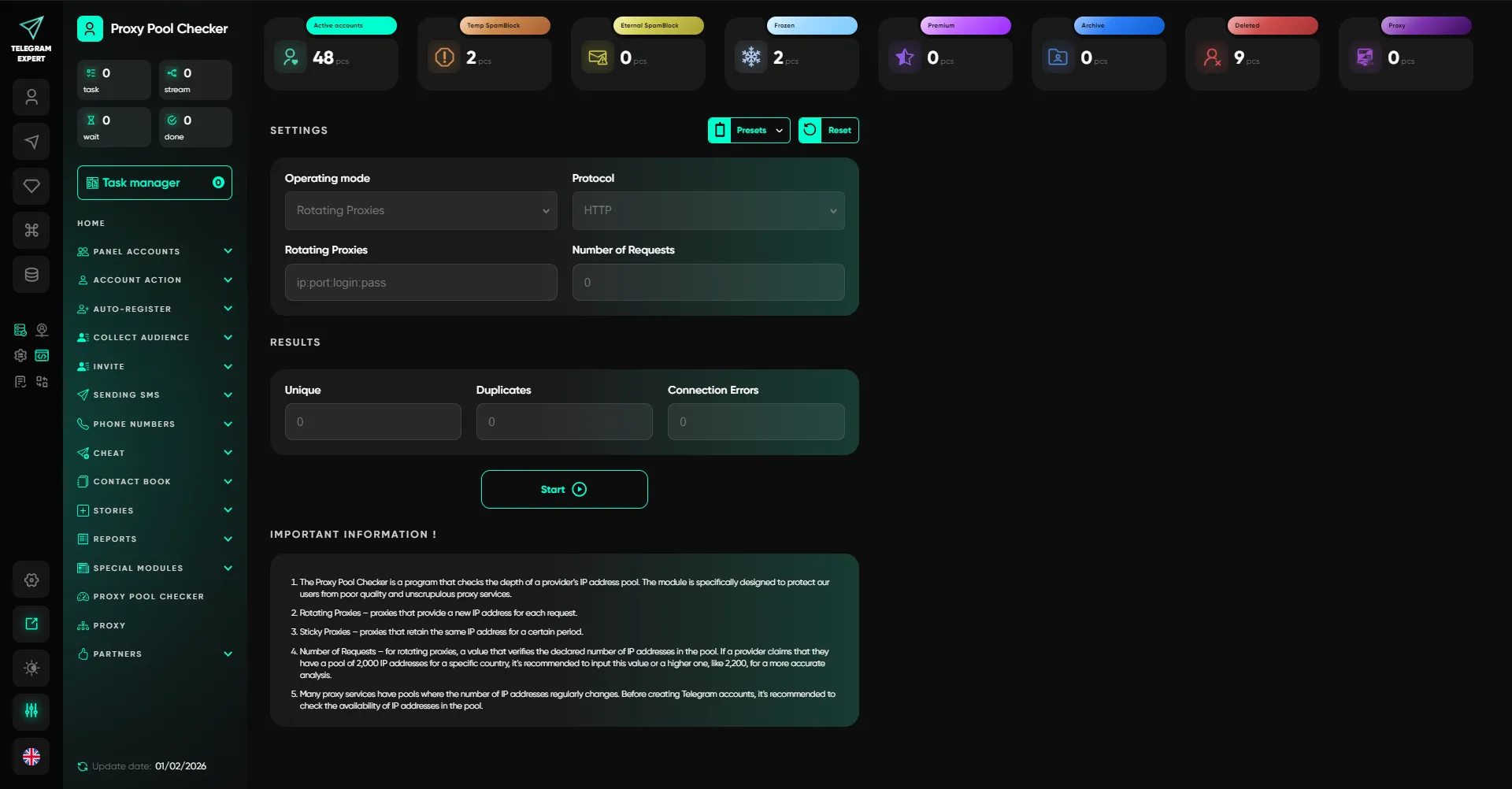
Analysis of proxy pools and IP overlaps to understand the real profitability and risks at scale.
In practice, it is IP overlaps that often create hidden risks at scale: there seem to be many proxies, but some of the addresses are repeated. The checker helps you see overlaps in advance and make decisions about the pool before launching tasks.
Proxy
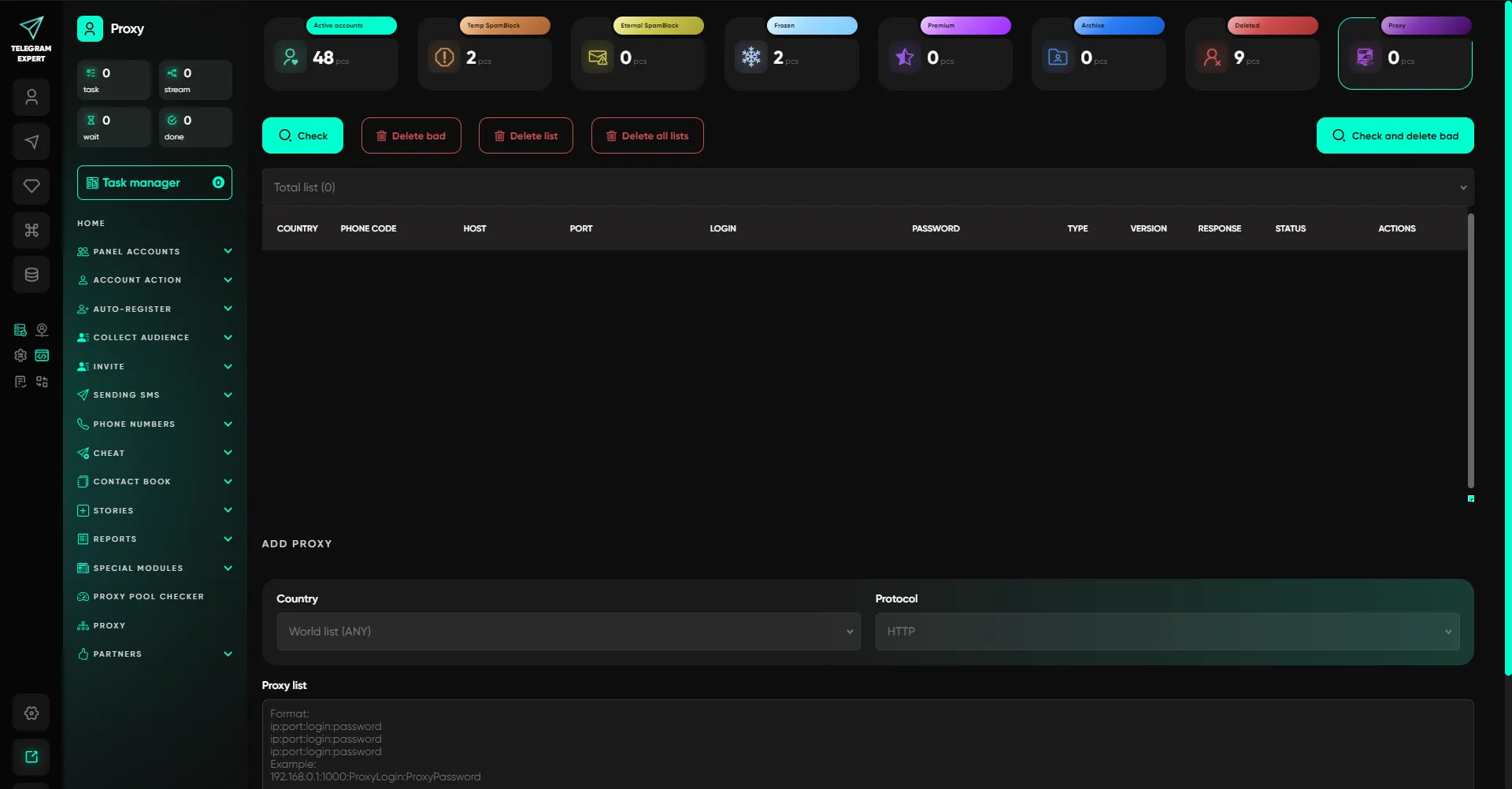
Adding and initial verification of proxies (availability and speed) before launching tasks.
Conclusion
Telegram Expert is a comprehensive platform for large-scale and professional work with Telegram. The software combines account management, automation of actions, audience engagement, and analytics in a single system, without crutches or disparate solutions.
It is a tool chosen for its speed, flexibility, and depth of capabilities. When tasks become numerous, volumes grow and Telegram stops forgiving mistakes, this software provides what most solutions on the market lack: control, scale, and scenario variability.
Telegram Expert is the level that other solutions strive to reach.
The real work begins here.