
What Is ASN in Proxies? When and How to Use ASN Targeting
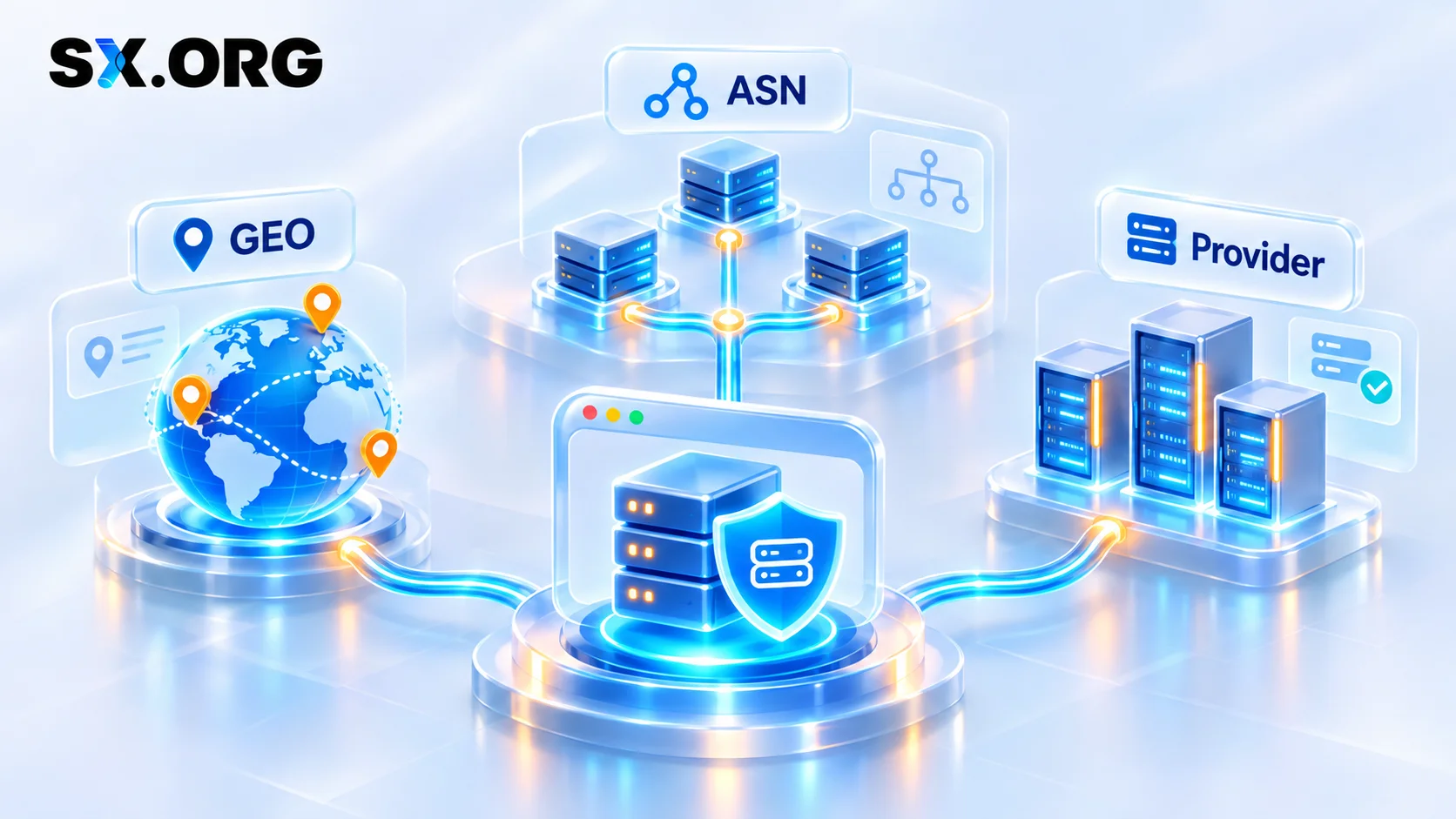
When choosing a proxy, you select a country, perhaps a city - and then come across another option: ASN. What does it mean and do you need it if you have already set your location?
An ASN or Autonomous System Number, identifies a network or group of networks managed under a common routing policy. In proxy settings, it helps you select not just where an IP address is located, but which network your connection uses. That could be the network of a particular internet service provider or mobile carrier.
Here is how ASN differs from IP geolocation, when ASN targeting is useful and how to check your proxy’s ASN.
What Does ASN Tell You About a Proxy?
Every proxy connection has an exit IP - the public address the destination website sees. That address is associated with a network, which can be identified by its ASN.
In an IP lookup tool, an ASN usually appears as AS followed by a number. You will often see the network operator’s name alongside it.
Suppose you need a proxy in the Netherlands. The country has multiple home internet providers, mobile carriers, and hosting companies. Selecting the country sets your geographic requirement. Selecting an ASN adds a network requirement.
An ASN is not exactly the same thing as an ISP, however. One company can operate multiple autonomous systems. Check the network number rather than relying only on a familiar company name.
ASN vs. IP Address vs. Geolocation
These settings describe different aspects of your connection:
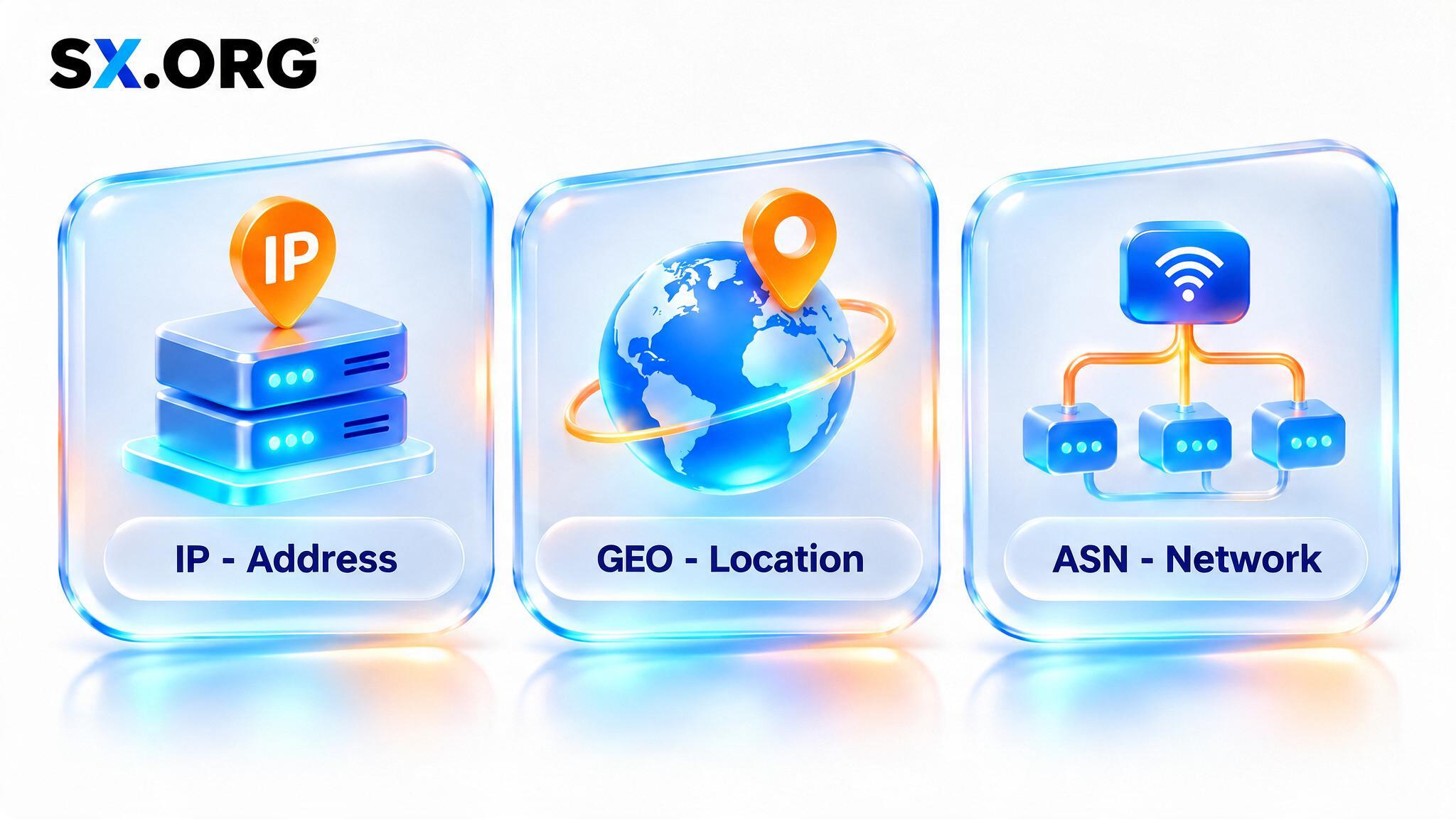
| Parameter | What it tells you |
|---|---|
| IP address | The public address a website sees |
| GEO | The country and city an IP geolocation database associates with that address |
| ASN | The network associated with the IP address |
Two proxies can be in the same country but belong to different networks. They can also share an ASN while using different IP addresses.
Selecting an ASN does not give you a fixed IP or replace country and city targeting. It adds another condition to your proxy selection.
What Is ASN Targeting?
ASN targeting lets you select proxy exit IPs associated with a particular autonomous system.
Instead of requesting any available IP in your chosen country, you narrow the selection to a specific network. This is useful when your task depends on the connection’s network - not just its location.
Here are three situations where it can help.
Testing Website Access Through a Specific ISP
Suppose customers using one provider report that your website fails to load, but everything works on your connection. Testing through the relevant network gives you another way to investigate.
You can compare page loading, form submissions and access to individual resources across networks.
A proxy does not fully reproduce a customer’s connection: their device, local network and other settings may differ. But it can help you narrow down the problem.
Checking Ads and Landing Pages
For a basic landing page check from another country, location targeting may be enough.
Add ASN targeting when your test has a specific network requirement. For example, you might need to check whether a landing page is accessible through a particular mobile carrier or compare its behavior across several networks in the same country.
Keep network testing separate from device testing. A mobile network connection does not, by itself, show you how a page looks or behaves on a smartphone.
Validating Your Own Access Rules
If your website uses network-based access rules, a proxy with the relevant ASN can help you test them.
You can check whether a page loads, whether an additional challenge appears, or whether a request is blocked as intended.
Run these tests only on resources you own or have permission to assess.
When Location Targeting Is Enough
If you simply need to view a regional website version, check a currency, or confirm that a page is accessible from a country, start with GEO targeting.
There is no need to select a specific ASN unless your task requires it. Add network restrictions when you can explain what you are testing and why that network matters.
How to Check a Proxy’s ASN
To look up your proxy’s ASN, connect through the proxy and open an IP lookup tool that displays ASN and network information.
1. Connect Through Your Working Browser or App
Use the same browser, profile or application you plan to work with.
If the proxy is configured in a specific browser profile, open the lookup tool inside that profile. A different browser may show your regular internet connection instead.
2. Look Up the Exit IP
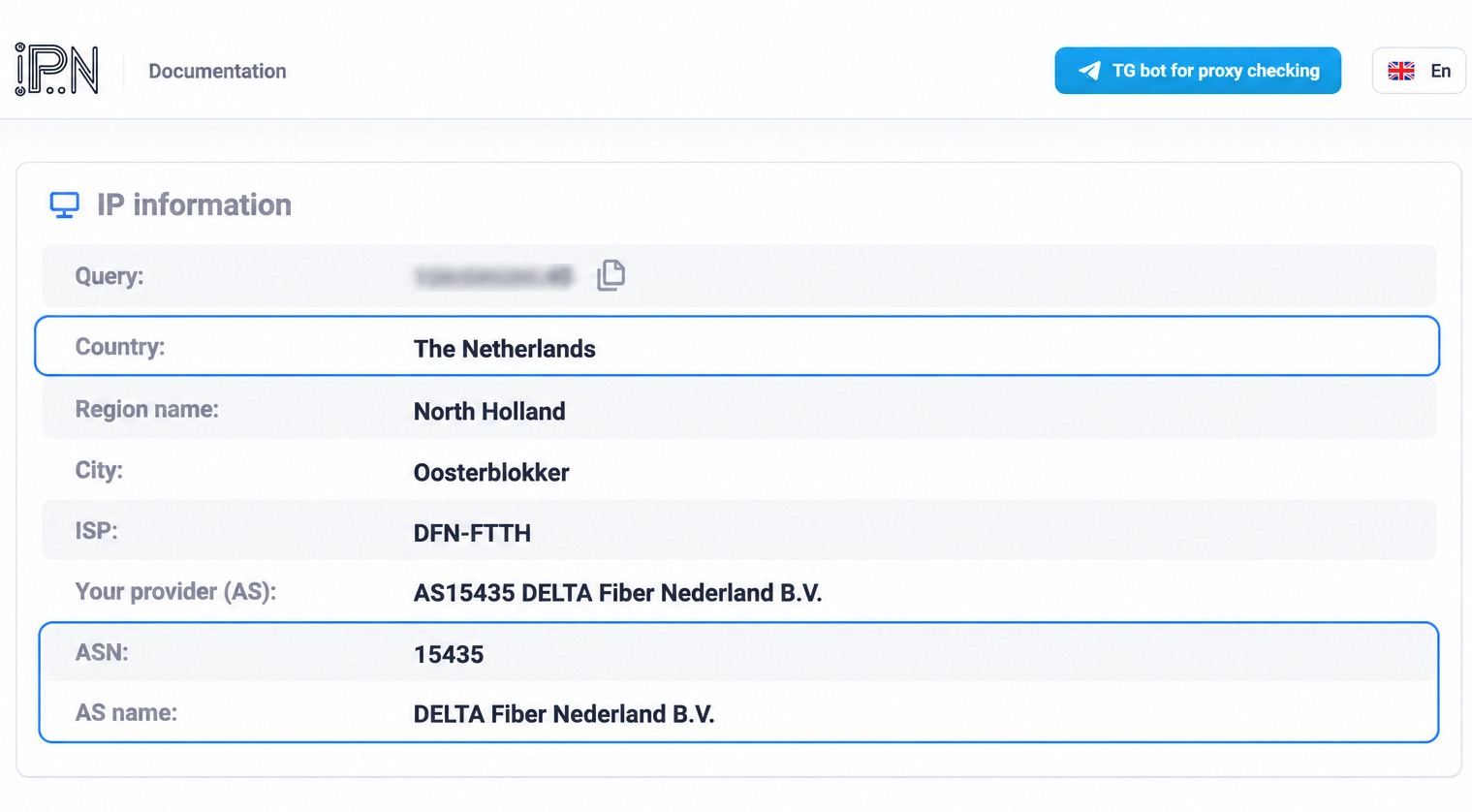
For this check, we used I.PN. Open the service through your proxy connection and look for the following fields:
- Public IP address
- Country and city
- ASN or AS number
- Organization or ISP
You need to check the IP your traffic exits from - not just the proxy server address entered in your connection settings.
Compare the ASN with the network you selected and the location with your requirements. If the city looks incorrect, compare another lookup service: IP geolocation databases can disagree.
3. Test Your Actual Workflow
Matching IP details are only the first check. Open your target website and perform a small version of your normal task: load a page, test a form or run a limited batch of requests.
If your proxy rotates IPs, repeat the lookup after an address change. This helps confirm whether the new exit IP still matches your required ASN and location.
For a broader connection check, see our guide on testing proxy speed, IP location, and stability.
What ASN Targeting Does Not Guarantee
An ASN helps you choose a network more precisely. It is not a proxy quality score.
Keep four things in mind:
- The same ASN does not mean the same IP. If your workflow needs a consistent address, choose a suitable session mode separately.
- ASN does not determine the city. Verify the exit IP’s geolocation independently.
- A particular network does not guarantee access without CAPTCHAs or blocks. Application settings, request frequency and website policies also affect the result.
- Performance still needs testing. Check page availability, errors, speed and connection stability in your actual workflow.
There is no universal “best ASN for proxies.” Troubleshooting may require one specific provider. Network comparison may require several. A straightforward location check may not require ASN targeting at all.
How to Choose the Right Proxy Settings
Start with the basics: your target country, proxy type and whether you need to keep the same IP throughout a session. Then decide whether your task requires a particular network.
With SX.ORG, you can select proxies by country, city, and ASN. Start with the location you need, then narrow your selection when a specific provider or network matters.
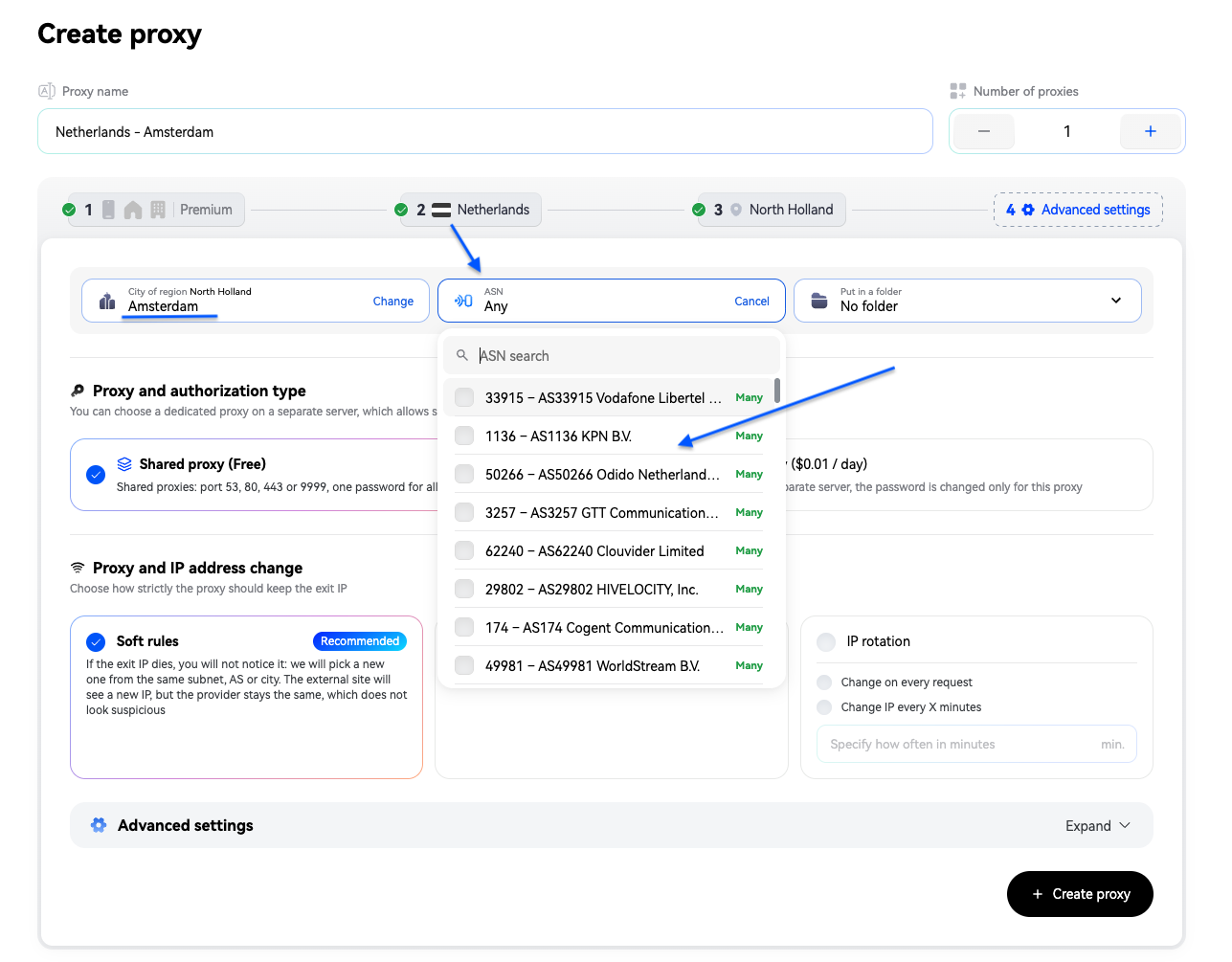
Before scaling up, test a small sample. Verify the exit IP, ASN and location, then check how the connection performs on your target website.
If location is all that matters, start with GEO. If the network matters too add ASN targeting. Each setting should serve a clear purpose.