
Incogniton: Managing Multiple Isolated Browser Profiles

On the surface, the web still feels simple. You turn on your computer, open a browser, sign in, do your work, and move on. But the moment you need to repeat that process across multiple independent accounts or regions, you lose that simplicity. You lose true privacy.
Proxies address a part of the problem. They mask the user's IP, changing network identity and defining where traffic appears to come from. But Browser fingerprint signals remain the same, which means separate projects remain linked at the device level.
Without true isolation, independent entities on the same device are treated as one, and web platforms capitalize accordingly. The consequences are immediate and costly: forced verification, access restrictions, account loss, and broken workflows.
This is the quiet problem Incogniton was built to solve.
What is Incogniton?
Incogniton is an anti-detect browser built around a simple idea: each browser profile should behave as if it belongs to its own environment, not as a variation of the same one. It is intended for scenarios where ordinary browsers, private tabs, VPNs, or proxy-only setups fail to keep online identities meaningfully separate.
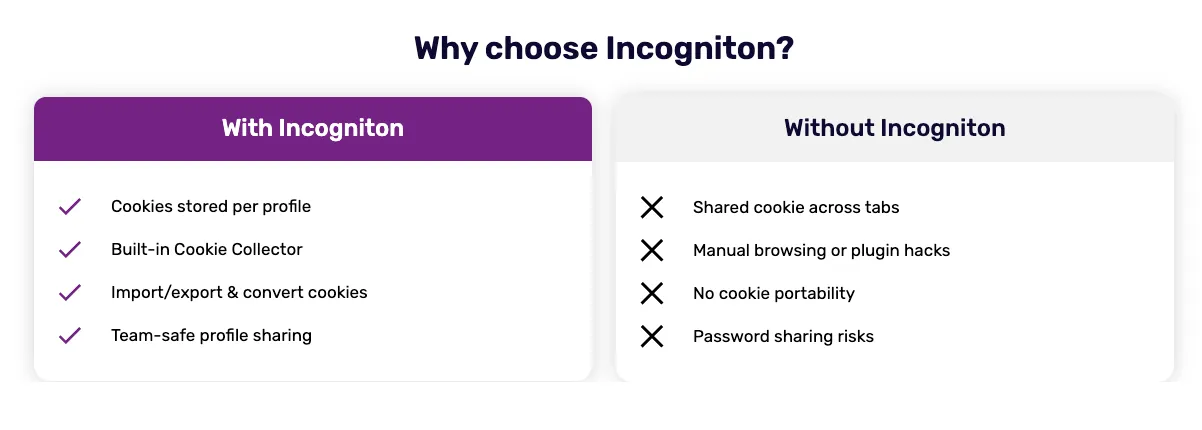
Rather than layering temporary fixes on top of a single browser session, Incogniton treats every profile as a long‑lived workspace. Each profile carries its own data, settings, and browsing history, and can be returned to later without inheriting traces from other activity.
The result is not just separation, but continuity – browser environments that remain stable instead of constantly being rebuilt.
Why You Should Use Incogniton
Some workflows depend on independence. When browser environments overlap, even slightly, the outcome is rarely neutral. Accounts begin to influence one another, behaviour becomes inconsistent, and small correlations turn into operational problems.
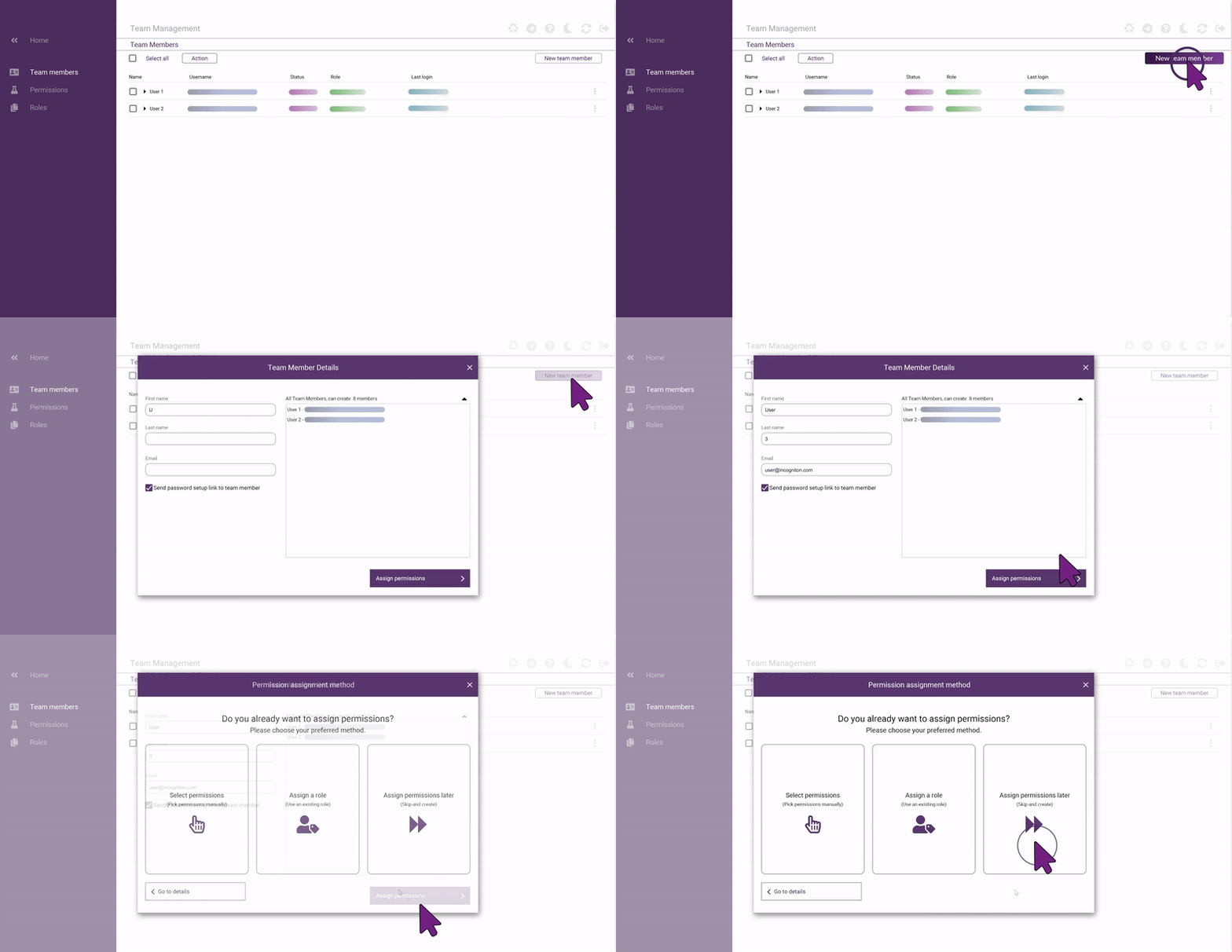
Incogniton is designed to remove that uncertainty. Isolating browser data at the profile level allows multiple online identities to exist side by side without interfering with one another.
In practical terms, Incogniton enables you to:
- Maintain thousands of independent browser profiles without shared identifiers
- Work with teammates using clearly defined access roles and permissions
- Preserve cookies and browser state, so profiles behave consistently over time
- Attach a specific proxy to each profile to define its network context
- Run automated workflows without collapsing environments into one
Together, these capabilities make browser behaviour predictable, which is essential when scale and repeatability matter.
When Incogniton Is the Right Tool
Incogniton is used by individuals and professionals whose work depends on keeping browser environments intentionally separate. In these roles, even minor overlap between accounts or sessions can disrupt operations, compromise access, or invalidate results.
Incogniton is commonly relied on by:
- Digital marketers and growth teams managing multiple advertising or platform accounts that must remain independent
- E‑commerce operators running stores, storefronts, or seller accounts across regions
- Agencies and service providers working on behalf of multiple clients within the same platforms
- QA, testing, and engineering teams that need repeatable, isolated browser environments
- Automation and data teams running browser-based workflows that depend on a consistent state
In these professional contexts, browser isolation is not a preference. It is a foundational requirement for reliable, uninterrupted work.
Incogniton Features for Your Workflows
Incogniton provides a focused set of features that support long-term browser isolation while remaining practical for everyday use.
Browser Profile Isolation
Each browser profile is fully separated from the others. Cookies, local storage, and browser state remain contained within the profile, allowing it to be reused without risk of data leaking across environments.
Proxy Configuration per Profile
Every profile can be assigned its own proxy configuration, allowing network identity to be defined independently for each environment.
For long‑term multi‑account workflows, dedicated proxy types such as residential or mobile proxies are generally recommended due to their stability and lower correlation risk.
Cookie Management

Profiles can retain or import cookies as needed, allowing sessions to persist naturally over time. This keeps browser behaviour consistent without compromising isolation.
Automation Support
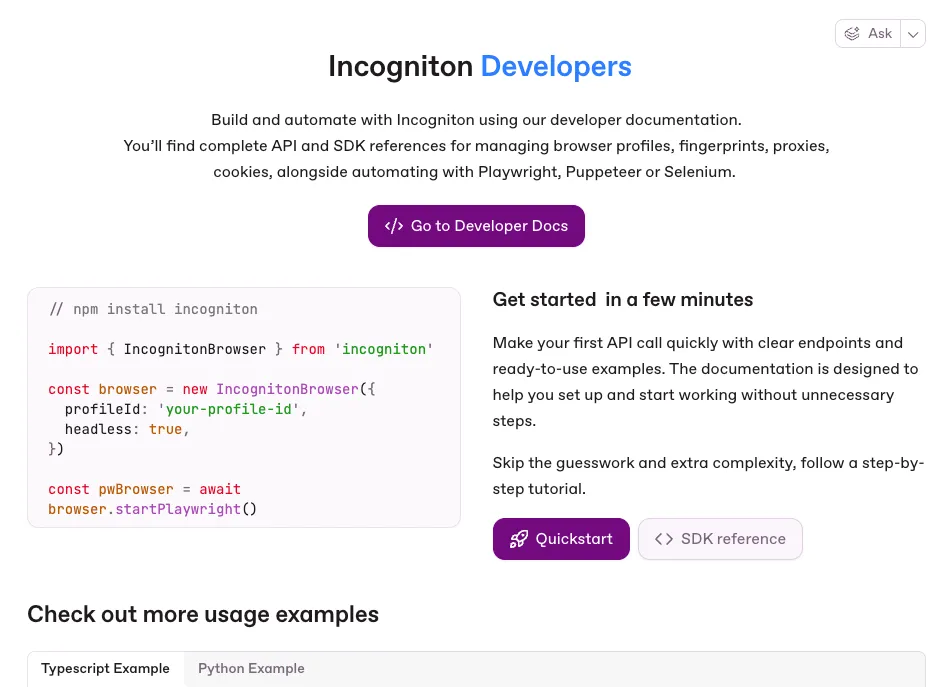
Incogniton exposes browser profiles through its API and Python and TypeScript SDKs, enabling developers to integrate with Playwright, Puppeteer, and Selenium. Automation runs against individual profiles, preserving isolation even across large, repeatable workflows.
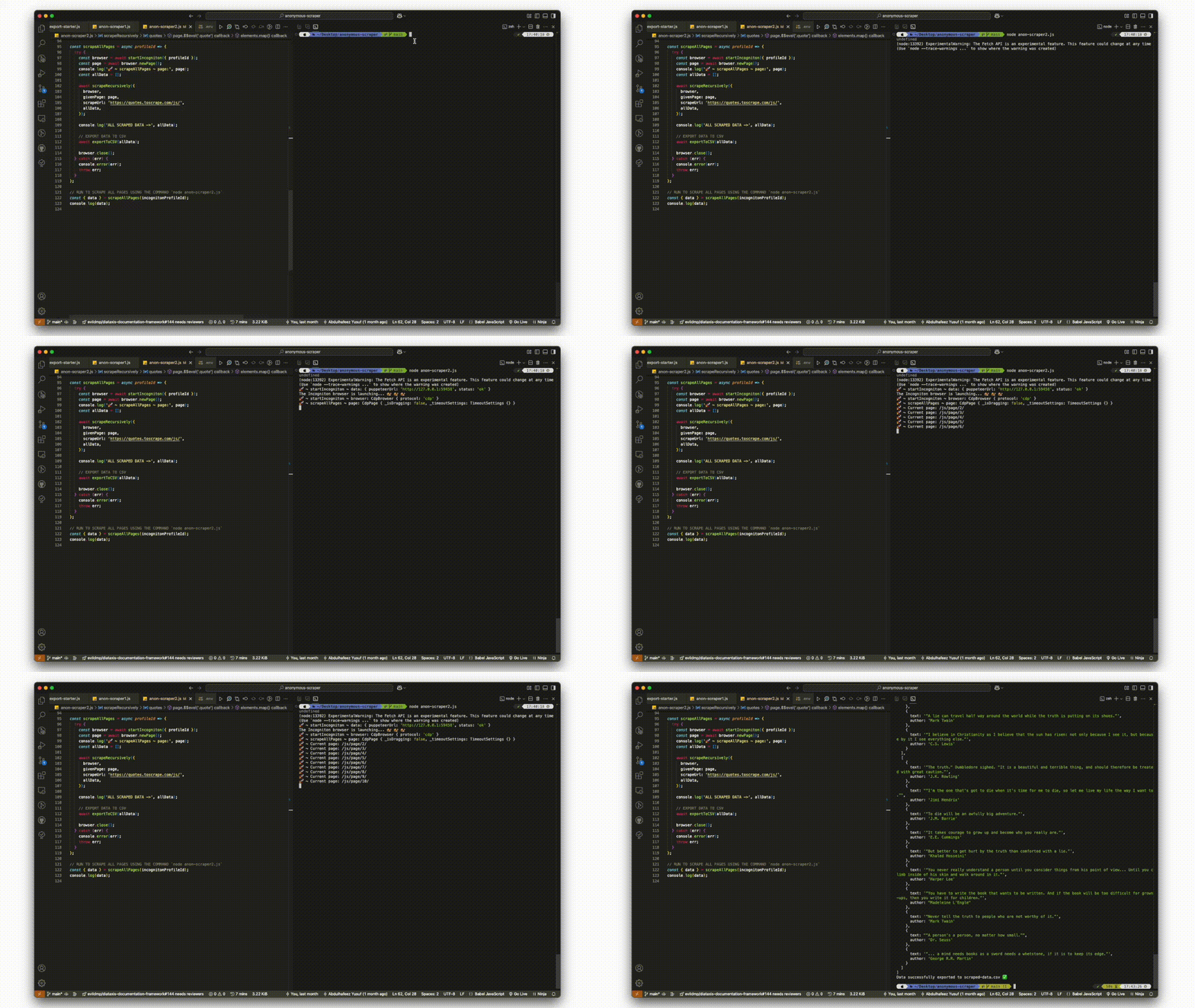
The developer documentation outlines available endpoints, SDK methods, and integration patterns.
Team Access and Synchronization
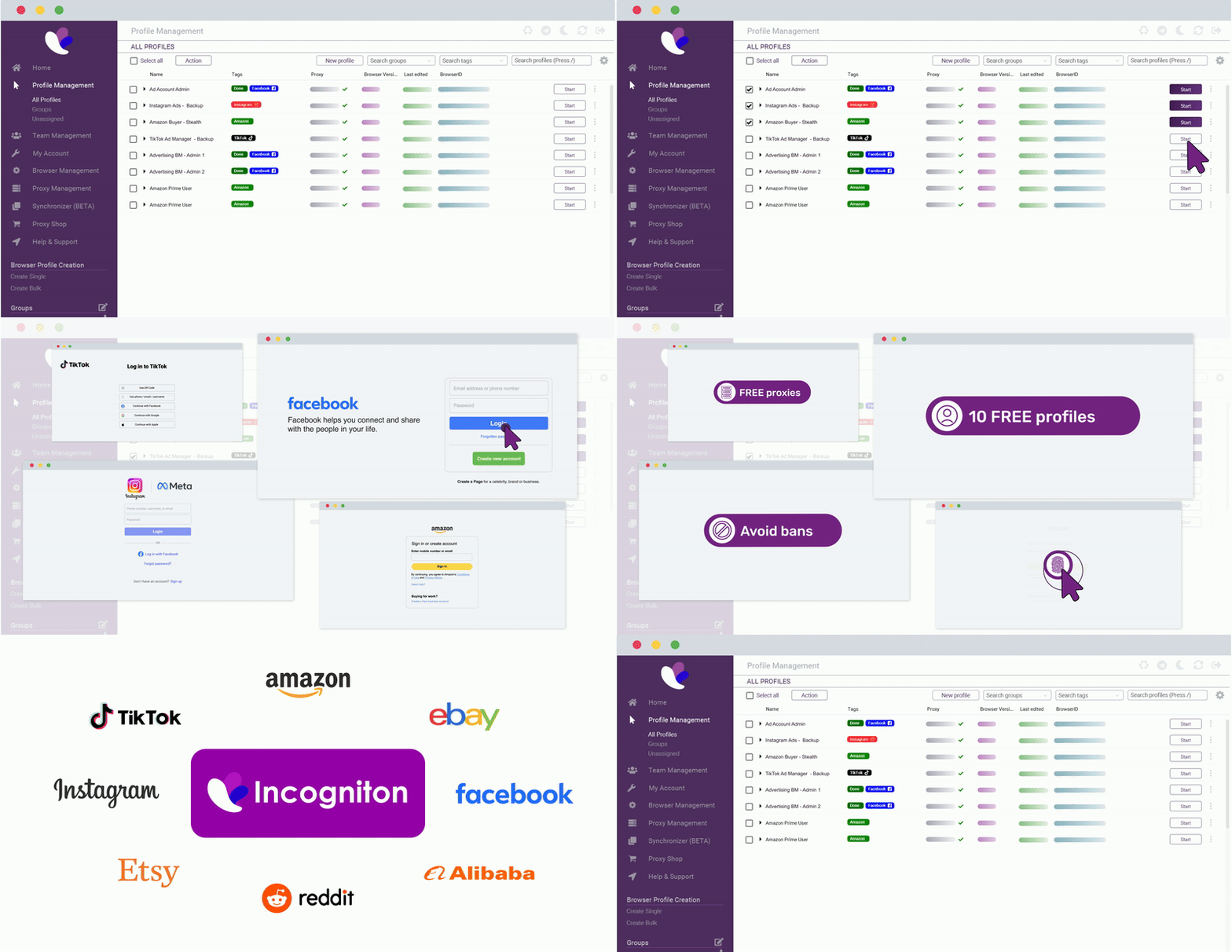
Profiles can be shared across teams using role‑based access control. Encrypted cloud synchronization allows profiles to be accessed from multiple devices without breaking their integrity.
Privacy and Compliance
Developed in the Netherlands, Incogniton is built with data protection in mind. GDPR compliance and transparent data‑handling practices are embedded into how profile data is stored and accessed.
Why SX.ORG Proxy Fits Naturally With Incogniton
Incogniton manages browser identity at the profile level, but network identity still needs to be defined. This is where SX.ORG Proxy fits into the setup.
SX.ORG Proxy provides dedicated proxy services that allow each browser profile to operate with its own network identity. When used together:
- Incogniton defines and preserves browser state and provides true profile isolation
- SX.ORG Proxy supplies the IP address to ensure a reliable network identity for each profile
This separation keeps responsibilities clear. Browser behaviour is handled by Incogniton, while network behaviour is handled by the proxy layer.
Setting Up SX.ORG Proxy in Incogniton
This section walks you through connecting SX.ORG Proxy with Incogniton so each browser profile runs with a clean, dedicated network identity.
Step 1: Sign in to Your Incogniton Account
Download and install Incogniton for your operating system if you have not already done so. Open the application and sign in to your account.
Step 2: Set Up Your SX.ORG Proxy Account
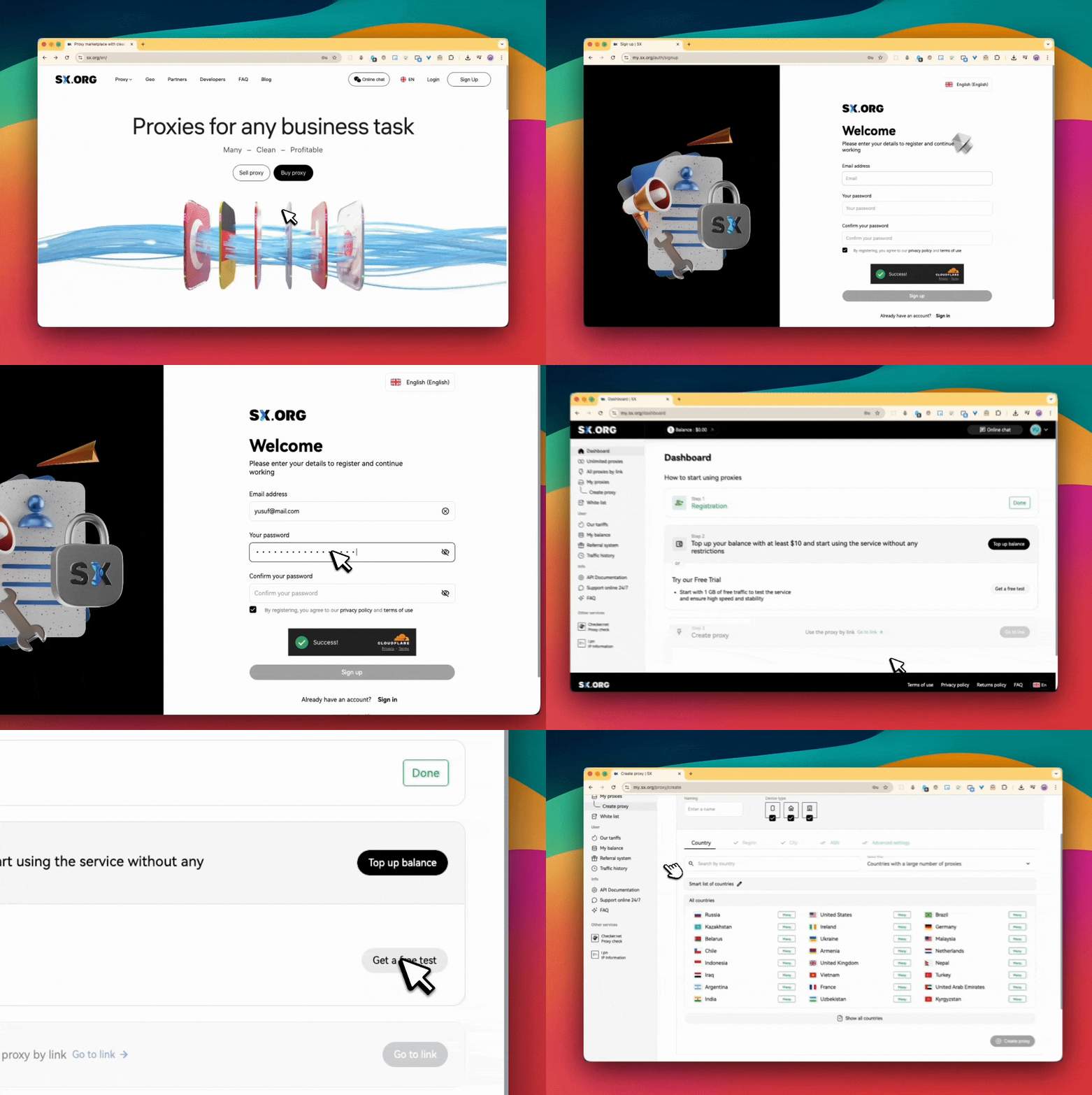
Sign up for a new SX.ORG Proxy account or sign in if you already have one. From your dashboard, top up your balance or start with the available free trial. Once activated, go to create a proxy, select a proxy type (residential, mobile, or corporate), and copy the generated proxy details.
Step 3: Add Your SX.ORG Proxy to Incogniton
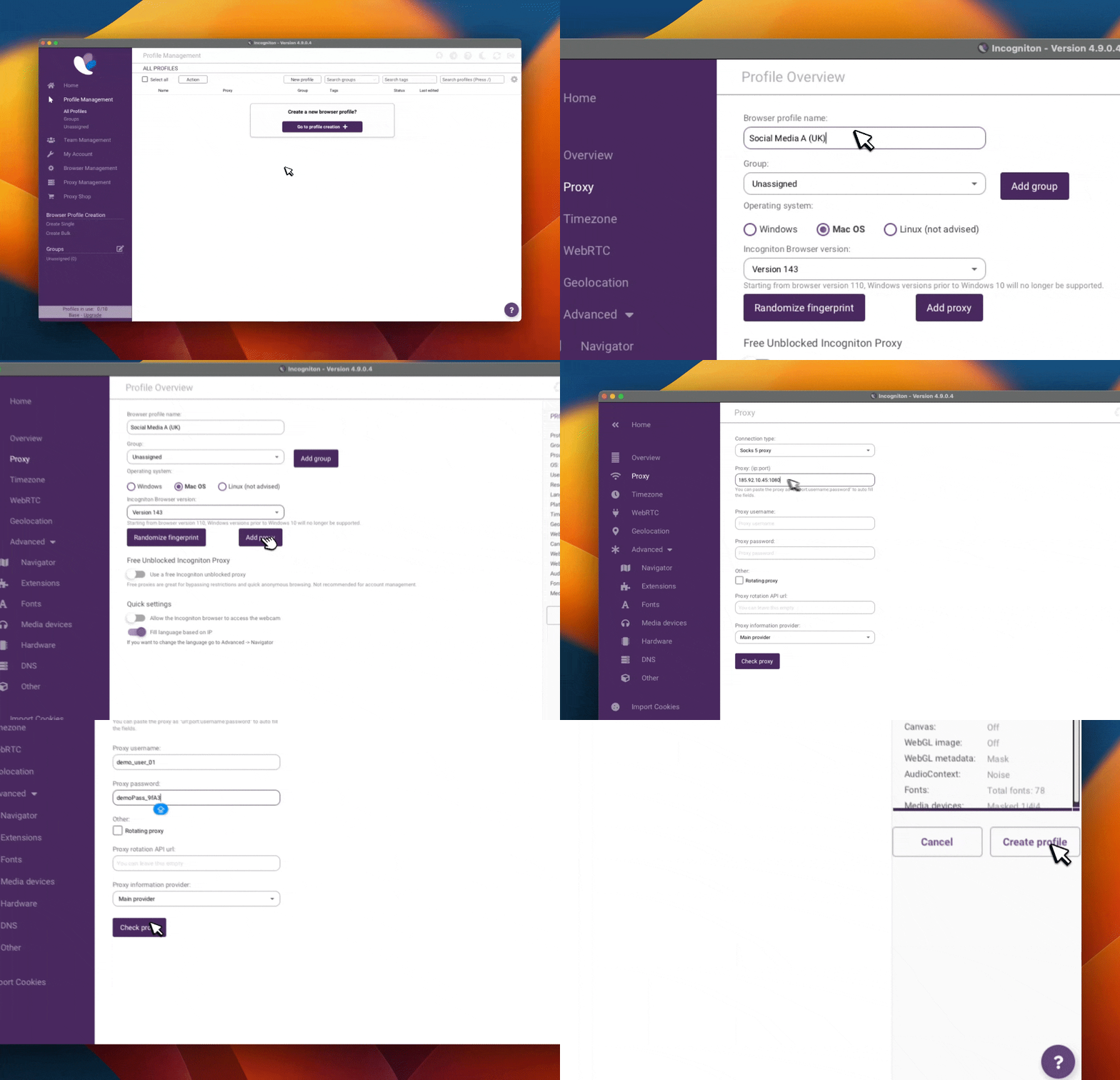
In the Incogniton app, create a new browser profile or edit an existing one. Navigate to the Proxy section, select the appropriate protocol, and enter your proxy host or IP, port, and authentication details. Use the built-in check to verify the connection.
Step 4: Launch Your Profile
Once the proxy connection is validated, save the profile and start it. Each launched profile will now operate with its own dedicated network identity, independent of other profiles.
Conclusion
Incogniton is built for situations where browser separation needs to be deliberate rather than improvised. By treating each browser profile as a fully isolated environment, it makes long-term, multi-profile work predictable and manageable.
When combined with SX Proxy, Incogniton forms a clear division of responsibility between browser identity and network identity. This separation reduces unintended overlap, supports automation and collaboration, and simplifies complex browser workflows.
For those evaluating whether this approach fits their needs, starting with a small number of profiles and expanding gradually is the most practical way to understand how Incogniton fits into a real-world workflow.