
How to Work Effectively in Hidemyacc 3.0: A Real-World Test of the Browser, Automation and Residential Proxies

Multi-accounting in affiliate marketing, e-commerce, SMM and crypto requires constant adaptation to the anti-fraud algorithms of major platforms. Anti-detect browsers have become an essential tool, but choosing a specific solution often comes down to finding the right balance between fingerprint reliability, functionality and overall cost.
In this review, we take a detailed look at Hidemyacc 3.0 — an anti-detect browser powered by its proprietary Marco engine, offering flexible profile management and an integrated automation builder. Based on hands-on experience, we tested profile creation, digital fingerprint uniqueness, proxy integration, and automation scripts.
1. What is Hidemyacc and Who Is It For?
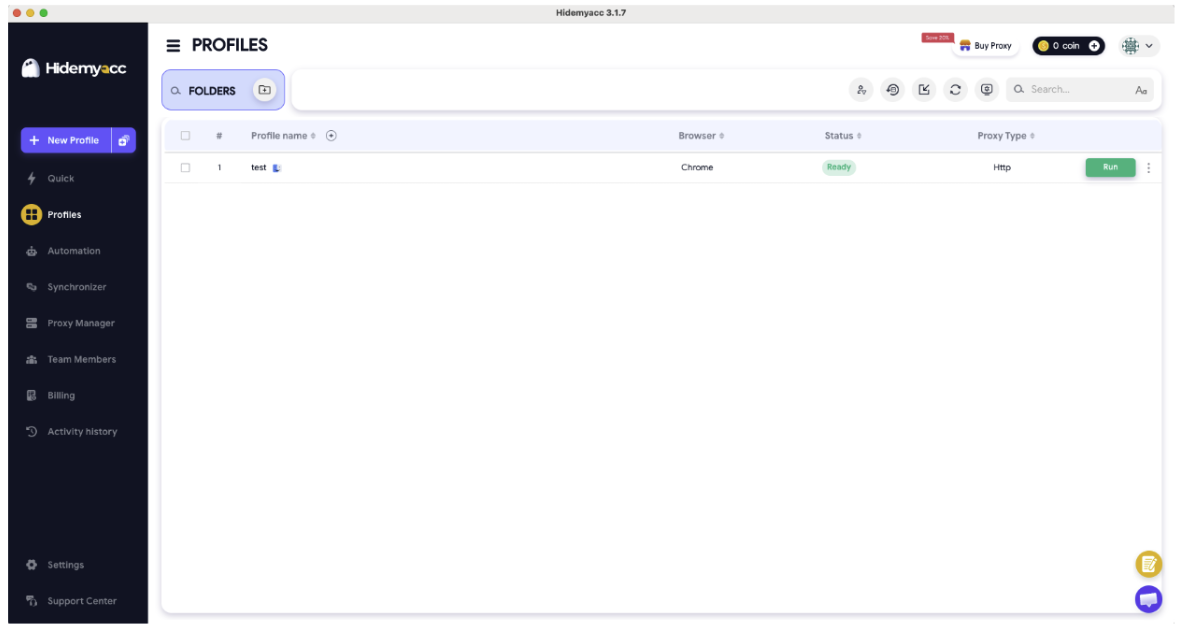
Hidemyacc is an anti-detect browser designed to create and manage an unlimited number of isolated browser profiles. Each profile operates as a separate virtual device with its own unique digital fingerprint, including Canvas, WebGL, AudioContext, fonts and hardware parameters.
Key Platform Features:
- Marco Engine (Chromium Core): A proprietary Chromium modification optimized for spoofing real PC parameters and masking network configurations.
- Cross-Platform Fingerprints: Ability to generate configurations for Windows, macOS, as well as mobile operating systems like iOS and Android.
- Built-In No-Code Automation (Version 3.0): Pre-made scripts and a visual scenario editor that allow users to automate routine actions without programming skills.
- Team Access: Flexible permission management, profile folder sharing and one-click account transfers between team members.
2. Subscription Management and Billing
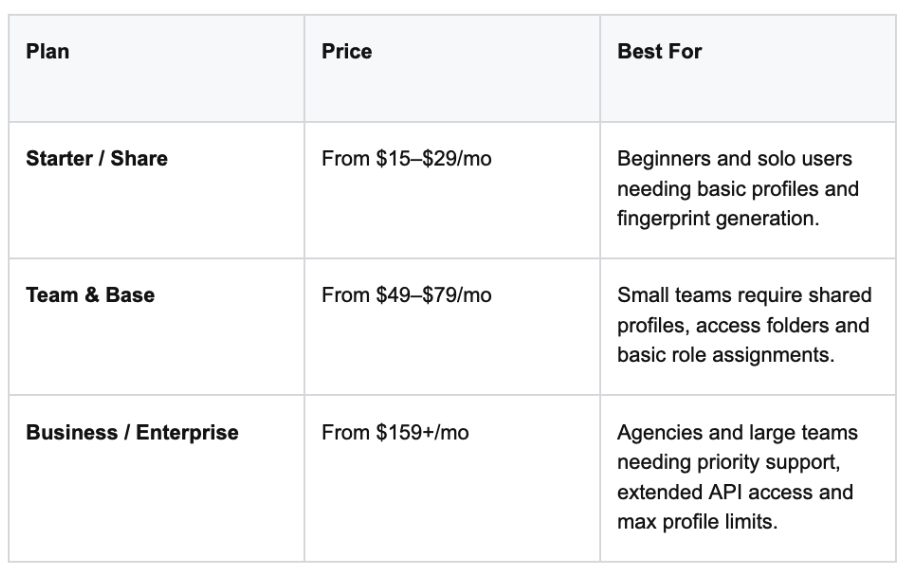
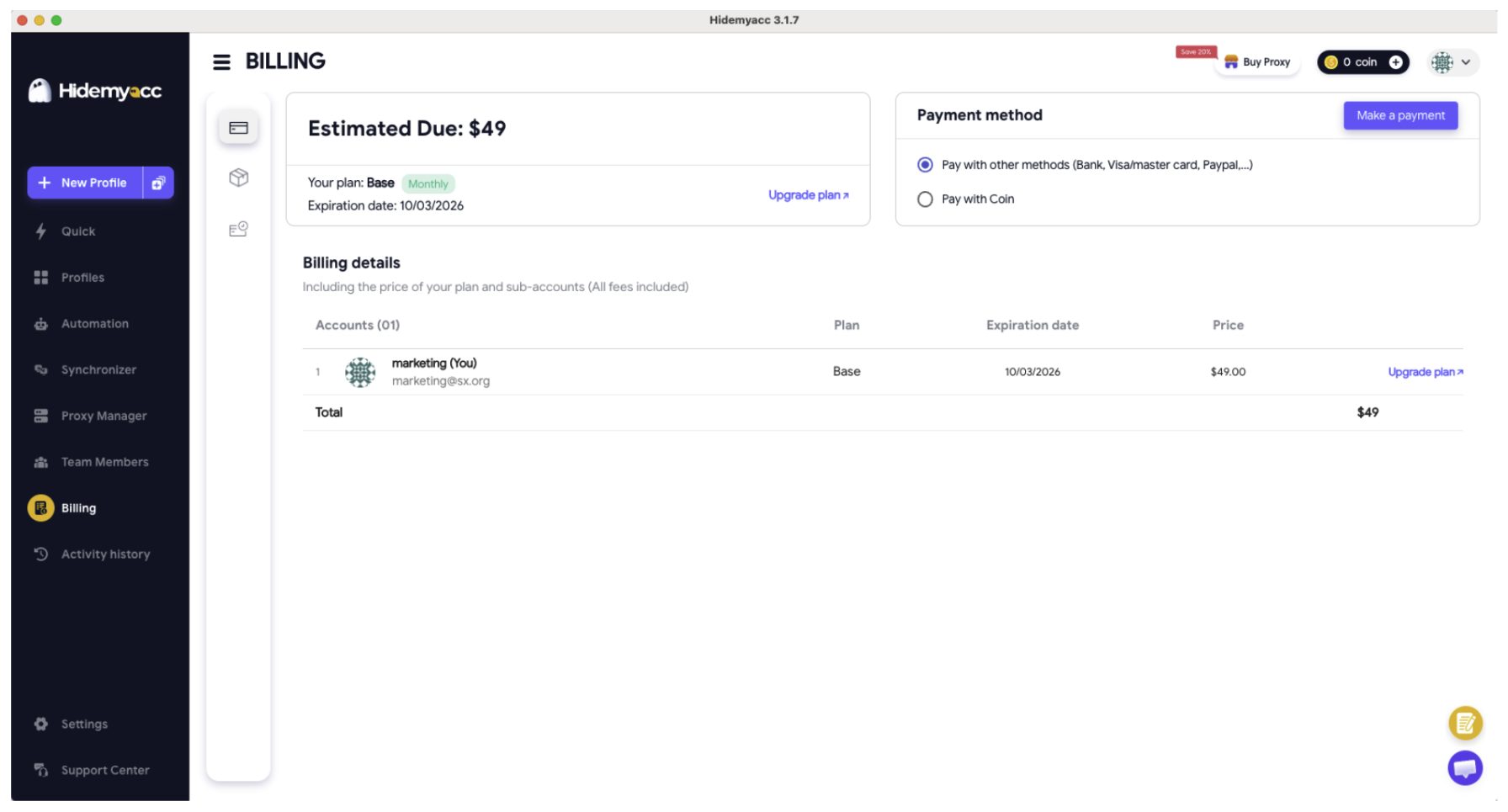
Hidemyacc offers a hybrid pricing model that suits both solo media buyers and large arbitrage teams. Unlike some competitors that charge for basic functionality upfront, Hidemyacc provides a 7-day free trial allowing users to test up to 30 profiles.
3. Hands-On Test: Profile Setup and Proxy Integration
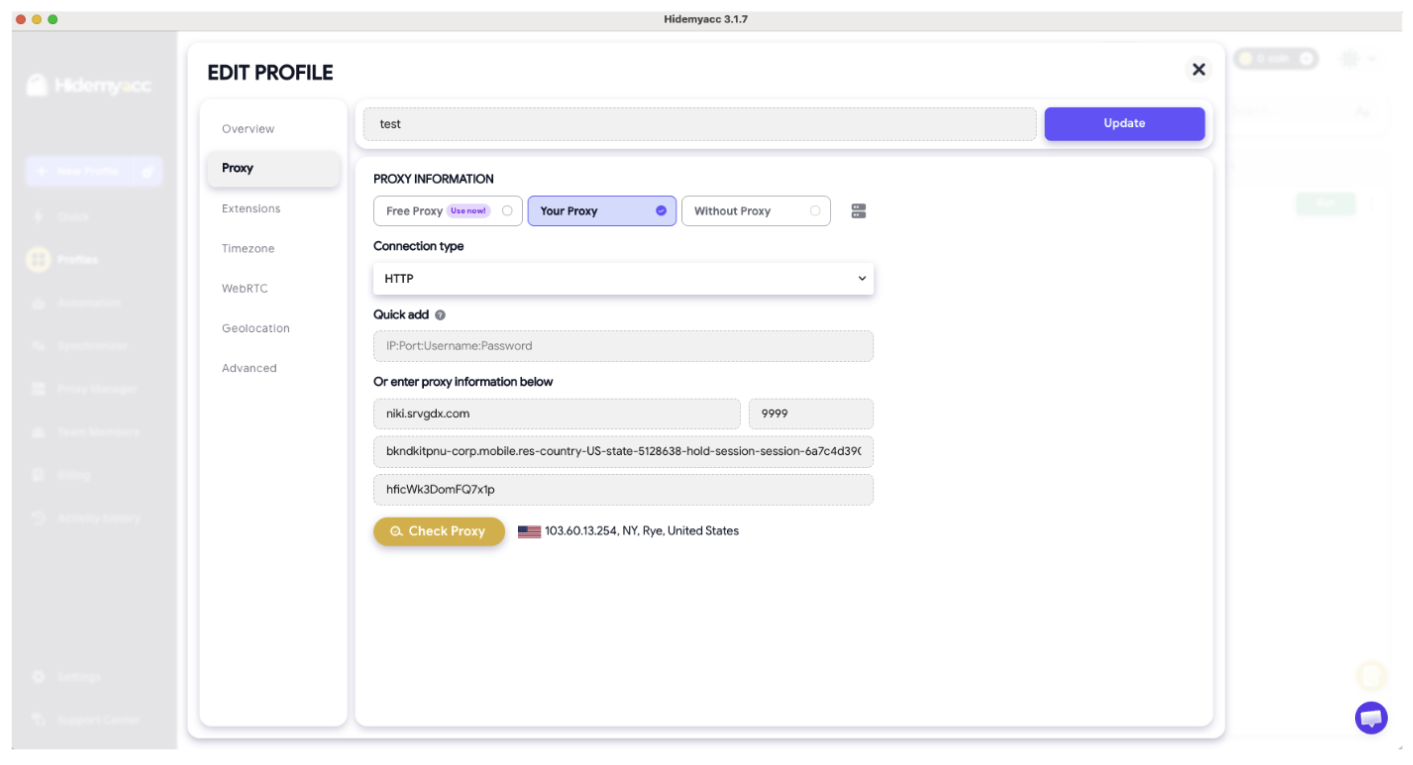
Creating a new profile in Hidemyacc takes less than a minute. The configuration process via the Edit Profile tab includes a few simple steps:
- Basic Parameters and OS: Selecting the operating system (Windows, macOS, mobile OS) and automatically generating a fresh User-Agent using the Marco engine.
- Timezone and WebRTC: Configuring geo-spoofing, synchronizing the timezone with the proxy IP address, and managing protocols (such as HTTP or SOCKS5).
- Proxy Integration (Quick Add): To connect a network, simply paste the IP:Port:Username:Password format string into the quick add field. The software instantly parses credentials into their respective fields.
- Connection Check: The built-in Check Proxy button verifies the connection in a fraction of a second, displaying the exact IP address, geolocation (e.g., New York, USA), and confirming proxy operability.
Proxy integration in Hidemyacc is exceptionally smooth. We simply copied the string formatted as host:port:login:password from our SX.org dashboard and pasted it into the Quick Add window - the software instantly parsed and placed the credentials into their respective fields. Clicking Check Proxy verifies the connection within a fraction of a second, confirming the IP address, geolocation and selected protocol (HTTP/SOCKS5).
4. Built-In Automation Module
After configuring the profile, we ran a series of tests on independent fingerprint checkers (Pixelscan, Iphey and CreepJS). Paired with our residential proxies from SX.org, the profile achieved a 100% uniqueness rating and a high Trust Score - avoiding detection as a virtual machine or bot.
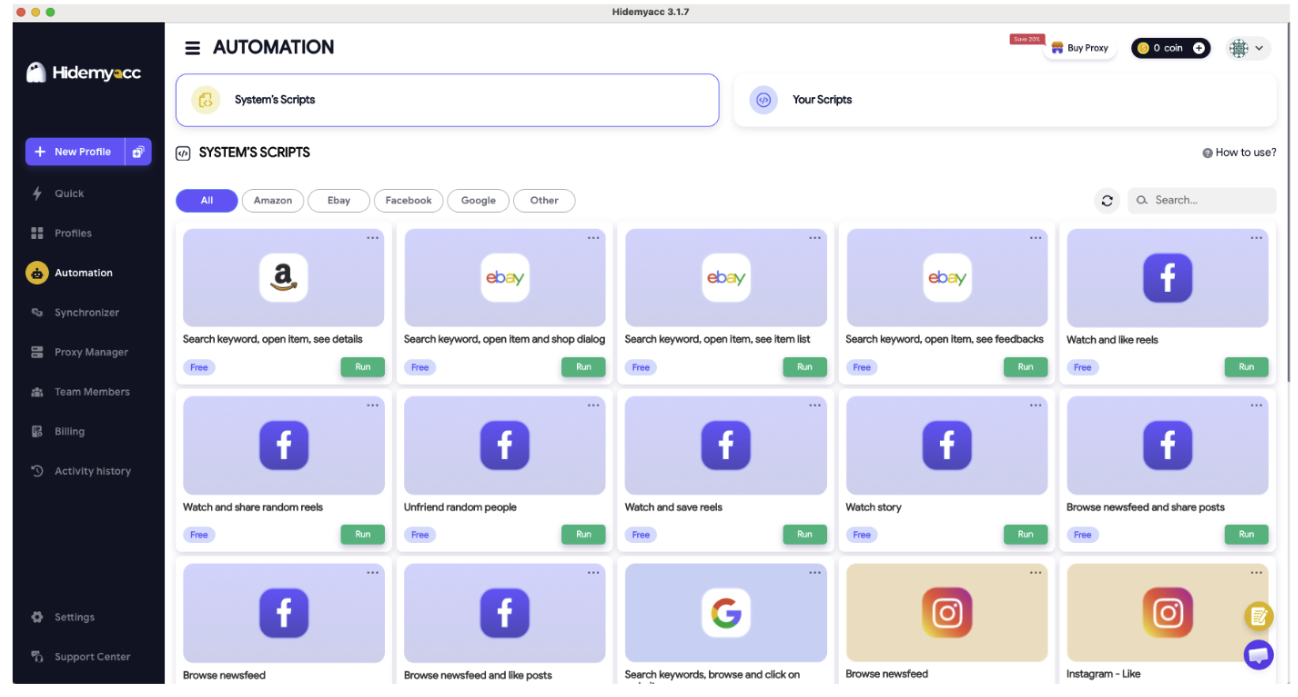
Built-In Automation in Hidemyacc 3.0 One of the strongest features of version 3.0 is the built-in Automation module. It eliminates repetitive manual work and protects accounts from instant registration bans. How We Use Scripts in Practice:
- Script Store: The browser features a marketplace of ready-to-use scenarios. We actively use cookie-farming scripts (Cookie Robot / Warm-up). Before logging into a target account, the script automatically visits popular sites in the target geolocation to build a natural browsing history.
- Human Emulation: Scripts mimic cursor movement, page scrolling and natural pauses crucial for farming accounts on Facebook, Google and e-commerce platforms.
- No-Code Builder: If a pre-made script isn't available, the visual Drag-and-Drop editor lets you assemble custom workflows (clicks, text input, link navigation, time delays) without writing a single line of code.
5. Pros and Cons of Hidemyacc 3.0
Pros:
- Proprietary Marco Engine: High-level anti-detect masking for digital fingerprints, successfully passing checkers (Pixelscan, CreepJS, Iphey).
- Convenient No-Code Automation: A vast library of pre-made scripts and a visual editor.
- Fast Proxy Import: Supports bulk upload and Quick Add functionality.
- Accessibility: Features a full-featured trial period and a balanced pricing policy.
Cons:
- Basic Plan Limitations: API access and advanced automation tools require higher-tier plans (Base / Team).
- IP Quality Dependency: The browser only spoofs hardware, so reliable residential or mobile proxies are required for stable results.
6. Conclusion
Hidemyacc 3.0 proves to be one of the most balanced and well-designed anti-detect browsers on the market. It combines reliable fingerprint generation, a clean user interface, and powerful tools for automating routine processes.
When paired with quality residential proxies from SX.org, this software covers the full spectrum of operational needs: from safe account warming and farming to scaling team operations across affiliate marketing, e-commerce, and SMM.
7. Frequently Asked Questions (FAQ)
1. Is Hidemyacc suitable for beginners?
Yes. Thanks to its intuitive interface, ready-to-use fingerprint presets, and built-in automation scripts (Script Store), the learning curve is minimal.
2. Which proxies work best with Hidemyacc?
For affiliate marketing, account registration, and e-commerce management, rotating residential or mobile proxies (such as those from SX.org) deliver the best results. They ensure full alignment between the IP address, geolocation, and profile timezone.
3. Do I need programming skills to use automation?
No. Version 3.0 includes a visual No-Code builder and action recorder. However, developers can still connect custom scripts via API, Puppeteer, or Playwright.
4. Can I transfer profiles to team members?
Yes. Starting with team subscription plans, the browser supports one-click profile transfers and shared folder access.